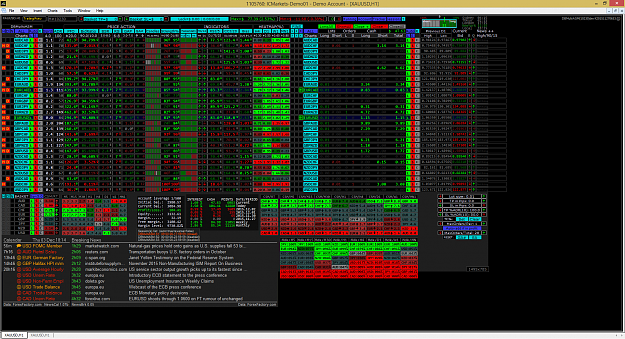
Very good, aseme. But i have a doubt. I install all but PIN3 dont show arrows. I have maddash template in other chart. Only thing i have disable is auto trading in MT4.
Also a select / deselect of the pair. If you want to manual remove 2-3 pairs from trading for a current time.
Ignored
I have this done already
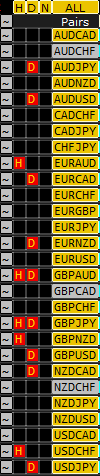
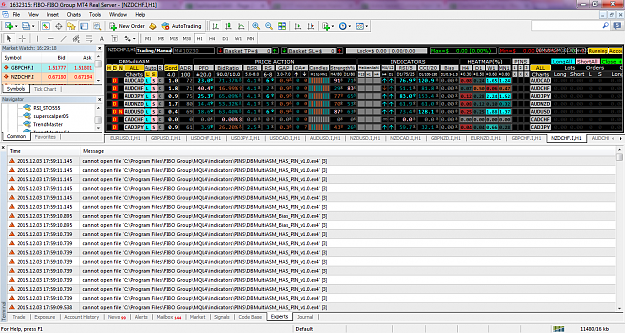
Attached Image
...and I intend to make it available in the next revision as well.
I had to add a dedicated button to open charts by the way... it is the one at the left identified as [~]. I am not sure about where to place it yet, so it might be in a different location afterward..
Have you already read the #Post 1 of this thread yet?
{quote} Got it. {quote} I have this done already {image}...and I intend to make it available in the next revision as well. I had to add a dedicated button to open charts by the way... it is the one at the left identified as [~]. I am not sure about where to place it yet, so it might be in a different location afterward..
Ignored
The position of ~ is very good. If you put it to far away it will be hard to keep track of it.
Very good, aseme. But i have a doubt. I install all but PIN3 dont show arrows. I have maddash template in other chart. Only thing i have disable is auto trading in MT4.
Ignored
The dashboard will only show arrows on PIN3 (after being properly configured) if there are alerts at MADdash side.
Can you confirm if your MADdashPIN is showing alerts already?
Have you already read the #Post 1 of this thread yet?
{quote} The dashboard will only show arrows on PIN3 (after being properly configured) if there are alerts at MADdash side. Can you confirm if your MADdashPIN is showing alerts already?
Ignored
How can I know this? I have chart with template loaded. Have maddash and maddashpin indicators with default settings and I enabled pin3 button in your dash. Your dash have default settings too.
{quote} How can I know this? I have chart with template loaded. Have maddash and maddashpin indicators with default settings and I enabled pin3 button in your dash. Your dash have default settings too.
{quote} The position of ~ is very good. If you put it to far away it will be hard to keep track of it.
Ignored
Yes, I agree that it shouldn't be too far from the pairs container, In fact I will try to fit it closer yet..
I still have some pending things regarding this since it implies several internal changes, but they are functional for their purpose already.
I have plans to also add selection of pairs by currency, by using the basket buttons (by now inactive) labeled with their own currency names. No ETA on this BTW.
Have you already read the #Post 1 of this thread yet?
{quote} How can I know this? I have chart with template loaded. Have maddash and maddashpin indicators with default settings and I enabled pin3 button in your dash. Your dash have default settings too.
Ignored
aeseme, why not update default settings in last EA version and adapted it with new version needed. So user don't need change settings again after install
Scan all 28 Forex pairs with ONE chart... Currency Strength28 Indicators
Thanks Aeseme for your great job and sharing the EA, I have some problems with installation , can you help me to solve it? thanks in advance. {image} {image}
Ignored
aeseme thats what I am talking about. There are programmers and there are traders. and to setup the dash is not "user" friendly. It will be a great progress if we can make installations more easy.
cheers
Scan all 28 Forex pairs with ONE chart... Currency Strength28 Indicators
Thanks Aeseme for your great job and sharing the EA, I have some problems with installation , can you help me to solve it? thanks in advance. {image} {image}
Ignored
It seems that you missed some steps. Please make sure that you have followed the instructions and read the included text files as well.
The package has sub-folders that needs to be preserved. Please review your installation and make sure that in fact everything is in place.
If you are still having issues after that, please report back to see where you got stuck and what can be done to help you further.
Have you already read the #Post 1 of this thread yet?
{quote} aeseme, why not update default settings in last EA version and adapted it with new version needed. So user don't need change settings again after install
Ignored
I don't get what you mean here.... Am I missing something perhaps?
{quote} aeseme thats what I am talking about. There are programmers and there are traders. and to setup the dash is not "user" friendly. It will be a great progress if we can make installations more easy. cheers
Ignored
Do you meant that traders tend to be lazy?
Have you already read the #Post 1 of this thread yet?
{quote} How can I know this? I have chart with template loaded. Have maddash and maddashpin indicators with default settings and I enabled pin3 button in your dash. Your dash have default settings too.
Ignored
It seems that you are not familiar to MADdash since you don't know if it is showing alerts or not (or I got you wrong?)
If you want to use the MADdash plug-in, you should learn at least the basics of it, here is a link to it thread: MADdash (Moving Average Distance)
Now, if you are already used to it and knows how it works, please elaborate a bit more on your issue in order to try to better understand what could happen.
Have you already read the #Post 1 of this thread yet?
Todays trades so far...LO-LC....Using the following setfiles, shared over at Gvc's thread...But, I should have had some advice on how to set a TP/SL. Because I see that the Dash is given pips back to the market after awhile, and I must be honest to say that I always struggle With setting up the TP and SL...So, please, somebodyExample: The amout of $ from the pic. fall approx. $20 in a few minutes. (Is it an idea to set "Use PIN3 as exit" to true?)
Offcourse, I know that the market can behave like this, but I wish to lock in some of the $ that is given back, before it happens...I need the pips more than the broker do...
Sorry, if this is a noob and question.....







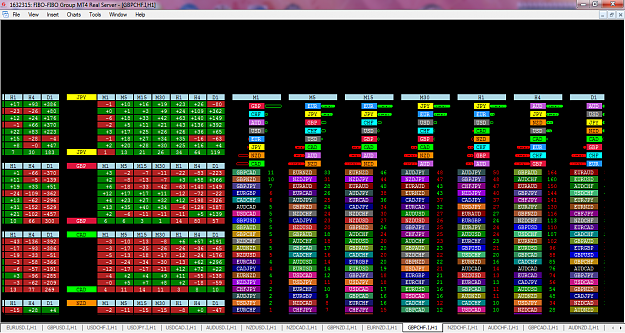
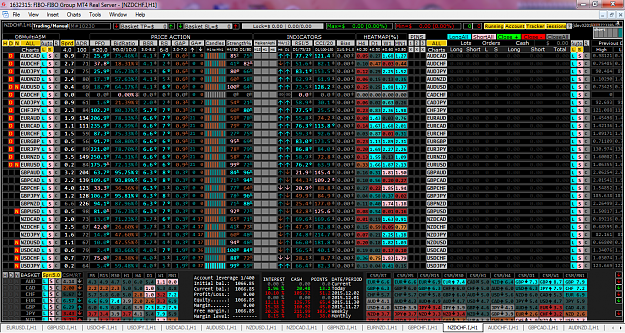


 Example: The amout of $ from the pic. fall approx. $20 in a few minutes. (Is it an idea to set "Use PIN3 as exit" to true?)
 question.....