{quote} We need a pin that shows side market to avoid opening positions.
Ignored
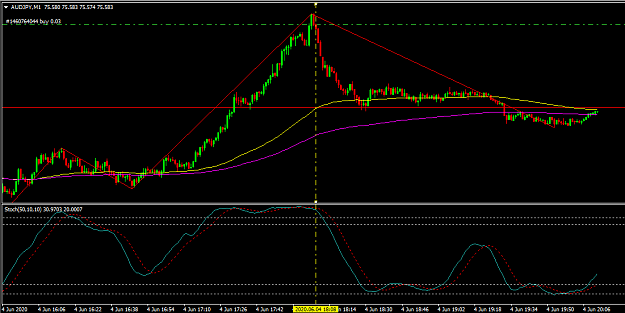
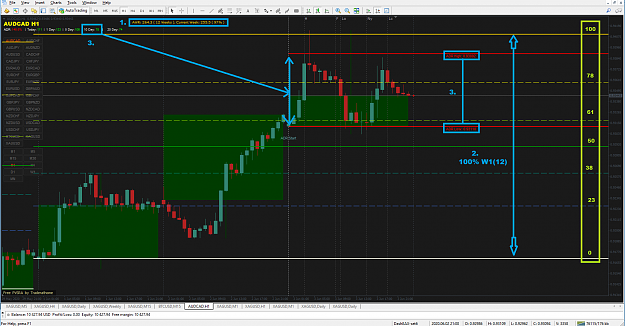
Hey, this is not a side market! Take a look at this screenshot of mine:
Attached Image (click to enlarge)
1. The price has reached almost 100% of its weekly ATR range of 12 weeks (if you start counting the 12-week range from last week) - its Braintheboss's ADR weekly indi from this post.
2. If you'd use the ATR pivots indi from here, you'd see the 12-week ATR average reached 100% from this week's open price. Note the levels in green that I also have drawn.
3. Check the 10-day ATR of 78 pip and the action of !SM_ADR_MARKER (red horizontal lines). Then do the math: ADR HIGH - ADR LOW. What is the result? 78.2, right? What does that mean for us? that here the price has respected the ADR10 boundaries and didn't venture to move beyond it (would you risk to buy or sell beyond these lines?). That !SM_ADR_MARKER is calculated in this logic: it takes 10-day ATR, adds that range (78.2) to the current daily low and gives you ADR HIGH, and subtracts that range from daily high and gives ADR LOW. When reaches and exceeds that range, the lines for that day become locked into red solid colour which do not change anymore during the day (maybe I'll write such pin sometime).
4. The last important thing in screenshot is that looong red pin bar meaning that you're done with this movement as bears has pushed the whole up movement down. I'd also recommend you to use m-candles on your m5 and plot the H1 candle. It would have helped you a lot to decide what to do.
As for the pin requested - here's a suggestion for you:
instead of two of your EMA100s in EAX (H1 and D1) you can use them in MA Channel pin as it will act the same.
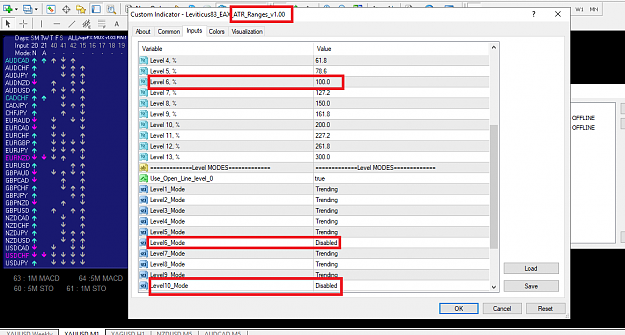
add ATR pivots pin and set the 100% zone to disabled (or whatever you prefer for not use in your trades).
Finally, put both of these two pins into Jagz MUX to make one unified pin and set the ATR pivots mode to Allow (any signal allows output). This means that when the price will come to the 100% zone that you disabled, EAX would not open orders as that zone is off and MUX won't give any signal.
I hope it helps and explains what kind of "side" was that particular movement
{quote} We need a pin that shows side market to avoid opening positions.
Ignored
Or if you see that your trades are going red you can use the Linear Regression channel by setting it from the obvious trend start to the highest current price so far to supervise the direction of trend (but don't put it on the current candle ever as the channel will dynamically change and form new highs). By the breaking of channel you can be almost sure it's time to get out and open the opposite trade (counter-trend?) or withhold from it.
The good thing about Linear regression that it works on the oscillators too, so it's good for looking for breakouts (note: it will work on the first buffer line, i.e. if indi has more than 1 line, it may not work on your desired line if it is not the first line in the indicator).
{quote} Hey, this is not a side market! Take a look at this screenshot of mine: {image} 1. The price has reached almost 100% of its weekly ATR range of 12 weeks (if you start counting the 12-week range from last week) - its Braintheboss's ADR weekly indi from this post. 2. If you'd use the ATR pivots indi from here, you'd see the 12-week ATR average reached 100% from this week's open price....
Ignored
Thank you so much for all this good advice.
I have a few questions and please look at the screenshots to tell me if they are wrong.
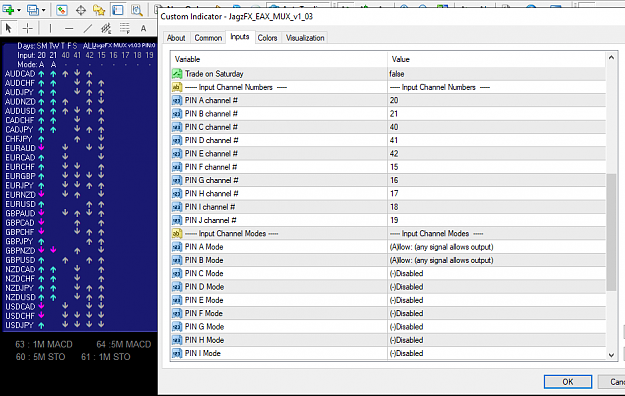
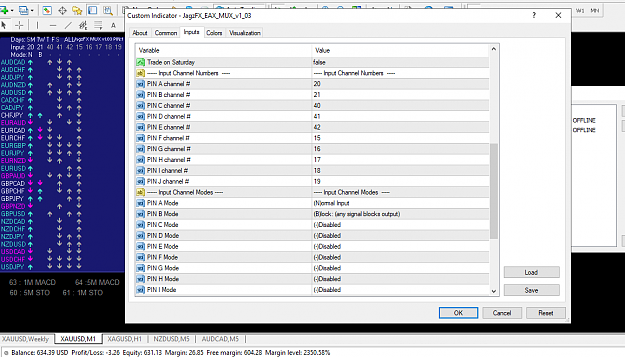
1- Mux pin does not have an output with the conditions you mentioned
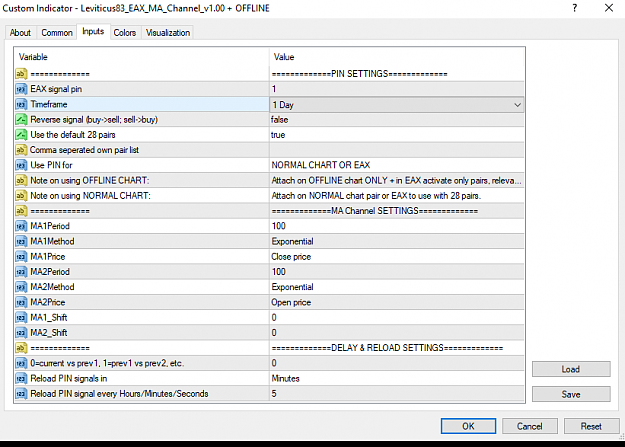
2. How to combine two types(H1 and D1) in the MA pin
{quote} Thank you so much for all this good advice. I have a few questions and please look at the screenshots to tell me if they are wrong. 1- Mux pin does not have an output with the conditions you mentioned 2. How to combine two types(H1 and D1) in the MA pin {image} {image} {image}
Ignored
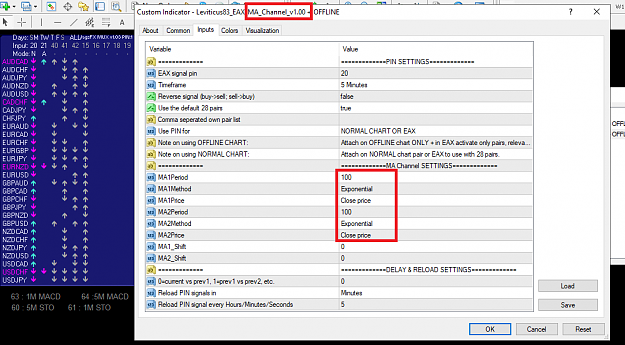
Sorry, my bad. With regards to MA channel you can only make one pin of H1, but in both of MA settings put the same Exponential Close (or you can do as it is now - close + open). It will be enough of its direction to activate the MUX signal.
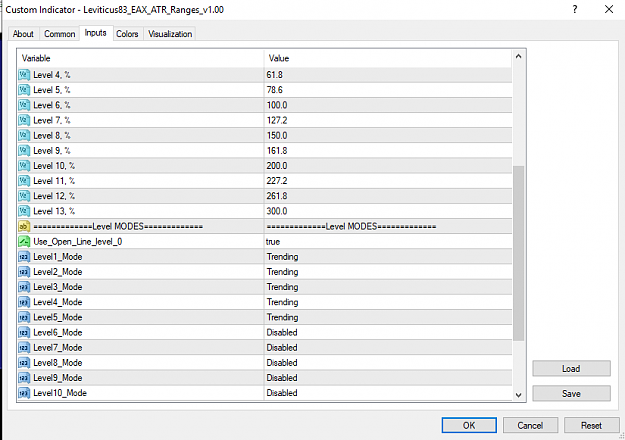
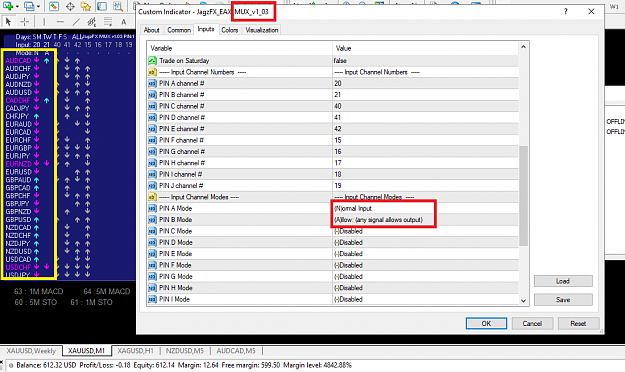
Now regarding your option of Block signal that you selected - it is wrong setting as it will not allow any signal from mux and we need to set not the Block from drop-down list but Allow. Be sure that you disabled the 100% level in ATR pin.
In this post MUX settings all is fine, but in Pin A Mode make sure you select Normal and you're good to go.
{quote} Sorry, my bad. With regards to MA channel you can only make one pin of H1, but in both of MA settings put the same Exponential Close (or you can do as it is now - close + open). It will be enough of its direction to activate the MUX signal. Now regarding your option of Block signal that you selected - it is wrong setting as it will not allow any signal from mux and we need to set not the Block from drop-down list but Allow. Be sure that you disabled the 100% level in ATR pin. In this post...
Ignored
Thanks again. I didn't even think for help so well
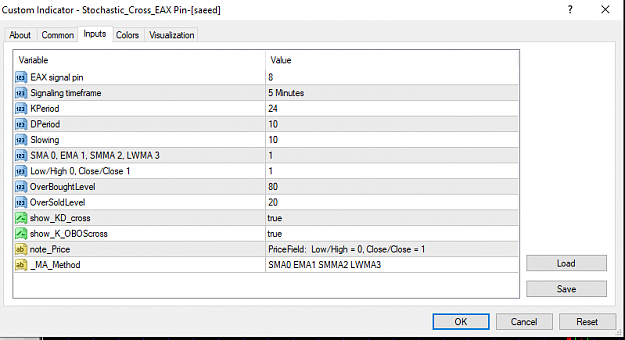
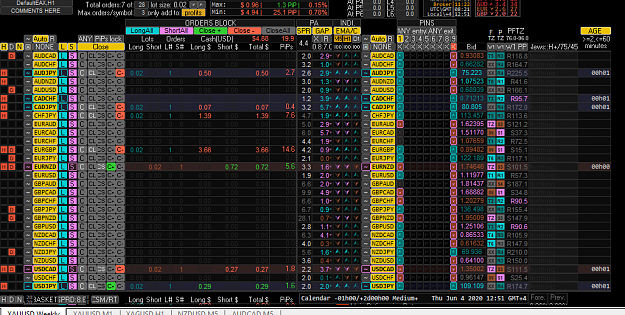
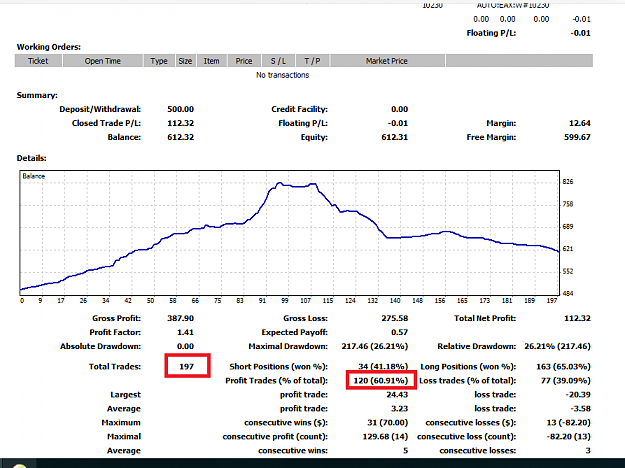
I made the settings as you said. If you think it's good, I'll start now with the new settings
{quote} Thanks again. I didn't even think for help so well I made the settings as you said. If you think it's good, I'll start now with the new settings {image} {image} {image} {image}
Ignored
Now it looks fine please let us know how it is going
{quote} Now it looks fine please let us know how it is going
Ignored
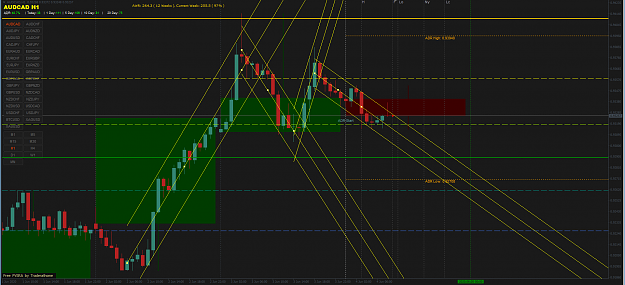
The system opens positions in the overbought/sell zone, which is in the screenshot
To avoid this, I am currently adding a stochastic indicator (10,6,6 1M 80,20).
It may interfere with the previous system, which needs to be investigated
{quote} how are you doing? I have everything in the red zone)))
Ignored
Not testing atr pivot pin, jagz sr pin is same.
In case of misunderstanding by others, gap and timer are not a strategy just a confirmation of entry pin to my findings. Still have to cook up your own strategy.
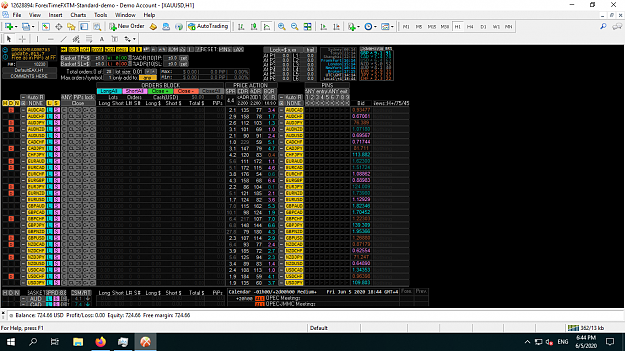
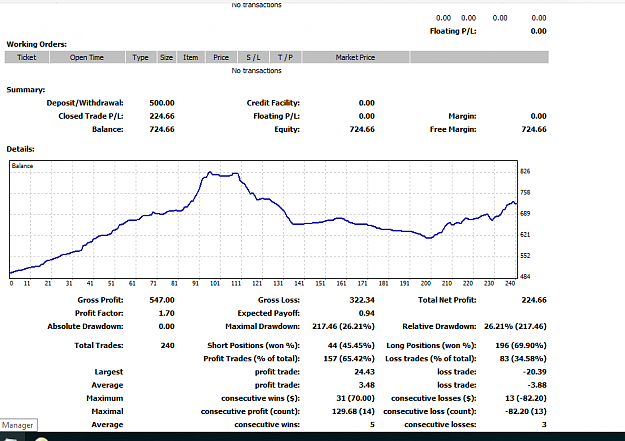
Dashboard does not open any position right now without any change after 240 trade
I started the system and also first script step by step , but the dashboard doesn't show signal, even though there's no condition inside.
Hi, can you check if the Auto trading is allowed in the EAX settings? Because from what I see in your provided screenshot is that the Auto button in Currencies column is not enabled (it must be yellow in order to open the autotrades).
{quote} auto is disabled because I disabled all conditions and all currencies should give the signal and all rows must be highlighted. but this does not happen. and after 3 hours it did not open any position. I checked it for confirmation without any condition. all are reinstalled and exactly configured. but If your dashboard works I should check my own. {image}
Ignored
As far as the EAX screen that I see, it should not give any buy sell signal because it does not have condition according to which to open the trades. Did I understand you correctly that you would expect at such settings to get the highlights? Check if it gives a signal after you add any pin (you can try my Candle Direction pin as it will give the signals for all of the pairs). But don't forget to disable the AutoTrading button of MT4 Terminal.
{quote} Not testing atr pivot pin, jagz sr pin is same. In case of misunderstanding by others, gap and timer are not a strategy just a confirmation of entry pin to my findings. Still have to cook up your own strategy.
Ignored
No, no and no to your comment that ATR pivot pin and Jagz SR pin are the same. They may look the same to many, but they aren't the same because their calculation and concept are completely different. Surely, they both use fibo zones but that is all their likeness.
The SR areas are calculated by a particular Pivot Point formula and it does not use the volatility data from ATR indicator at all.
Whereas ATR pivots do not need the formula as PP needs - it takes the open price of, for example, D1, and so every day's Open price is regarded as a Pivot point. What it does and how it plots the zones I wrote here.
{quote} As far as the EAX screen that I see, it should not give any buy sell signal because it does not have condition according to which to open the trades. Did I understand you correctly that you would expect at such settings to get the highlights? Check if it gives a signal after you add any pin (you can try my Candle Direction pin as it will give the signals for all of the pairs). But don't forget to disable the AutoTrading button of MT4 Terminal.
Ignored
I solved the problem.
I don't know what was the problem but today means Saturday I restarted the dashboard and it gives me signals!
Sometimes there is goodness in dealing with problems and should not insist too much on solving it, It is better to leave it alone.
thanks to you dear Leviticus83 because of being here.


 ?
?

 ).
).
 please let us know how it is going