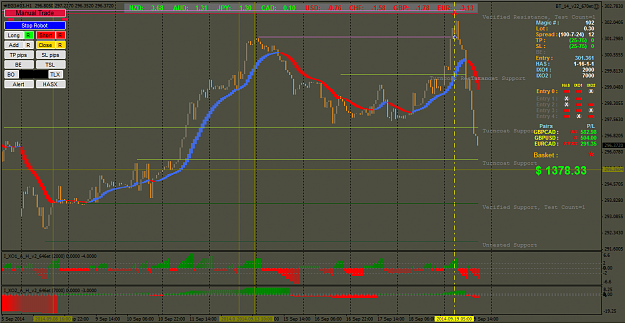
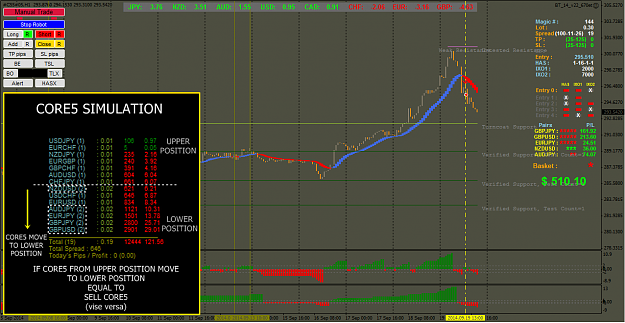
Hi guys, buddy Hukam, I'm still experimenting this Trend Analysis & Possibilities of Entry TF. (High TF to Lower TF) Have to input the dominant trend index and the trend percentage (%T) will be calculated automatically. Selection of pairs for basketing shall be referred to heat map, %Change and so forth. Best regards. Kopra (EDIT: This is only for preview. Need more fine tuning) {image}
Ignored
Hi guys,
I wish to highlight the trading status according to asian session trend analysis for daily trading setup by looking at 6 TF.
This time I calculate high TF (W/D/H4) against low TF (H1/M30/M15) and convert in to percentage.
Then I got the result either +ve or -ve (pls refer to spreadsheet). I am still trying to rationalize this method of calculations and need time to calculate more accurate. btw it give me some results.
Wish to share the outcome for your immediate reference.
(secured apprx 450pips)
Attached Image (click to enlarge)
Thanks for your kind interest.
Kopra
You do good, Good will come to you. Self deception never succeed.
I am still following up my findings for CORE5 and C14 trading basket.
If you remember on my previous post, so this is the sequel of my findings.
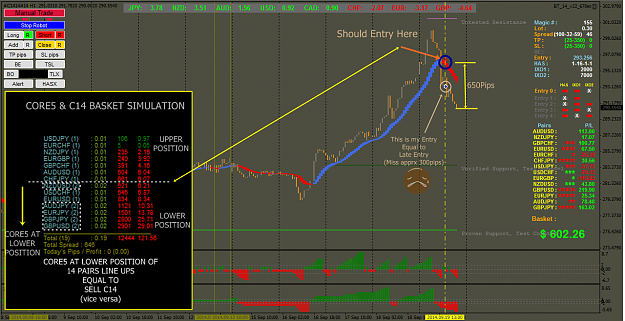
Today I make a simulation of 14 pairs with 0.01lot at demo account and make an entry at early of asian session (regret I forgot to make a screenshot on early entry).
I can see when Core5 pair scattered around between C14 pairs and start to move downward.
3 of the pair already group at lowest position and 2 pairs at middle position and going downward trend(checked single pair chart to reconfirm trend & SnR).
simulation entry shown that selling pips increasing at speed. Then I make an entry at BT EA Core5 basket that I have prepared earlier.
My entry is quite late because I'm waiting for the last pair to go to lower position of 14pairs (the 8th position).
Maybe I can observe for early entry but let me test again next week and conclude.
Wish to share the results for your further observation and understanding.
Attached Image (click to enlarge)
My finding shows that Core5 have close relation with C14. It worth to trade C14 but don't forget to control your MM.
I have made late entry and there are possibility to make an early entry and win more pips. Need more practice.....
Wish to share my findings.
Attached Image (click to enlarge)
IMHO I think can easily win 1000pips/day...hopefully!
Wish you all the best and happy weekend
Regards
Kopra
You do good, Good will come to you. Self deception never succeed.
Hi guys, Its me again I am still following up my findings for CORE5 and C14 trading basket. If you remember on my previous post, so this is the sequel of my findings. Today I make a simulation of 14 pairs with 0.01lot at demo account and make an entry at early of asian session (regret I forgot to make a screenshot on early entry). I can see when Core5 pair scattered around between C14 pairs and start to move downward. 3 of the pair already group at lowest position and 2 pairs at middle position and going downward trend(checked single pair chart...
Ignored
Hi kopratasa
How do you choose your daily basket currency. I read you all posts and I tried to choose my orders but I dont still choose order like you. Could you give me hints about this topic ?
Hi guys, Its me again I am still following up my findings for CORE5 and C14 trading basket. If you remember on my previous post, so this is the sequel of my findings. Today I make a simulation of 14 pairs with 0.01lot at demo account and make an entry at early of asian session (regret I forgot to make a screenshot on early entry). I can see when Core5 pair scattered around between C14 pairs and start to move downward. 3 of the pair already group at lowest position and 2 pairs at middle position and going downward trend(checked single pair chart...
Ignored
key of success is your homework.
best of luck brother, our next target is solve cross pairs consolation.
i may also try to post intraday analysis from next week with perfect buy/sell signal.
thanks & regards
hukam
PS: if anybody have question or their suggestion to improve this system are warmly welcome.
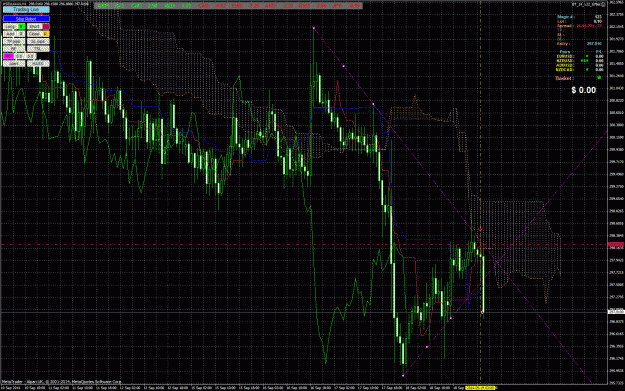
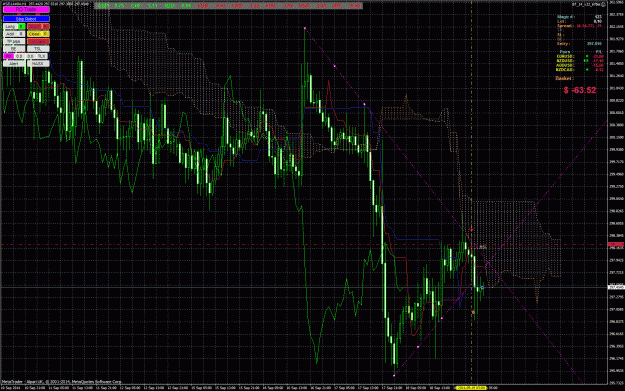
Hope someone can help. This morning the EA placed a sell trade correctly no problem and the EA was light blue with the words "Trading Live" now it says "NO Auto Trading" But as you can see the trade is still live , so what i was wondering is what can cause this and does the EA still have control of the trade or will i have to close it manually {image}
Ignored
In your case the Robot is not going to control anything as you have turned off all the Robot Buttons "R".
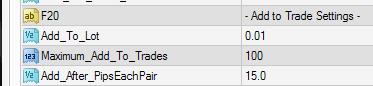
I just want to clarify if this function works (add to trade settings) done by robot not manually click the add button coz its not working to me during live trade even if the criteria are met and yes I click the "R" button in the EA so that it will be automated. I love this scaling-in functionality and hopefully this will get fixed if this is bug or I am just miss a settings for it to work properly.
Attached Image
Attached Image
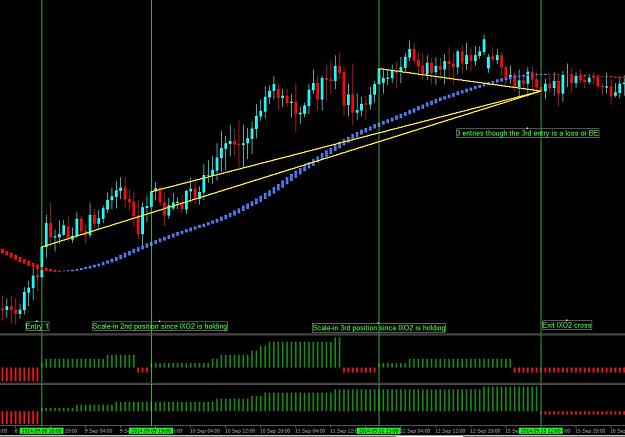
I want to add an idea for the robot to scale-in, it will scale-in every "entry criteria" are met as long as the "exit criteria" are still holding. For Example custom entry: IXO1(direction) IXO2(direction) exit:IXO2(cross) so it will always add position on every entry as long as exit logic is holding. For sure many will love this functionality too not just me for maximizing profit and exploiting the trend. Hope to see this in your future updates of this very great robot. Kindly check pics for reference. Thanks
Pip Poppy found a couple of errors in the following exits, these have been corrected in version 25, posted on the first page. It only affected the following settings.
Attached Image
I also made a change to the way the spread was calculated when using a single pair chart, I didn't have time to test it, so I will let you do that.
Everyone, keep on posting and helping others, its nice to see everyone working together.
@seller9, I just want to clarify if this function works (add to trade settings) done by robot not manually click the add button coz its not working to me during live trade even if the criteria are met and yes I click the "R" button in the EA so that it will be automated. I love this scaling-in functionality and hopefully this will get fixed if this is bug or I am just miss a settings for it to work properly. {image} {image} I want to add an idea for the robot to scale-in, it will scale-in every "entry criteria" are met as long as the "exit criteria"...
Ignored
I made some changes in version 25 that should fix the single pair add to trade problem, I haven't had time to check it out so I will leave that up to anyone using it.
I will see about adding your scale in idea, I am using it in another "Holy Grail" I am working on, so it may be a while until I get some free time to do it.
hello guys,
I have done an experiment using PO function. it did work but it closes the trade!! i did not put a Stop loss but when i go back to screen shots i see that there is a stop loss.. any ideas?
Good evening fellow traders,
Hope you all having a great weekend. Starting Monday we will post Core/Crosses split between 7:00/8:00 pm EST.
EXAMPLE SCREENSHOT attached. Keep up the good work.
Happy pips
Error uploading - here is the link smarturl.it/coresplit
hello guys, I have done an experiment using PO function. it did work but it closes the trade!! i did not put a Stop loss but when i go back to screen shots i see that there is a stop loss.. any ideas? {image} {image}
Ignored
Hi StOoOk,
I'm not sure what is the actual problem....never happened to me before.
Maybe PO setup conflict then EA tend to close the entry within its logic.
As for me, I only setup PO with straight line....never try with PO cross line before.
Just an opinion.
Kopra
You do good, Good will come to you. Self deception never succeed.
hello guys, I have done an experiment using PO function. it did work but it closes the trade!! i did not put a Stop loss but when i go back to screen shots i see that there is a stop loss.. any ideas? {image} {image}
Ignored
When you use both BO or PO lines the EA always places a SL at the opposite line to the BO or PO, this is normal.
If you use only 1 line than you have to place your own SL line.
You can always move it by grabbing it and putting it where you want it to be.
{quote} When you use both BO or PO lines the EA always places a SL at the opposite line to the BO or PO, this is normal. If you use only 1 line than you have to place your own SL line. You can always move it by grabbing it and putting it where you want it to be.
Ignored
Hi seller9,
Can you pls explain why the trade closed suddenly since didn't hit the SL (according to the screen shot attached above)?
Need your kind opinion pls.
Regards
Kopra
You do good, Good will come to you. Self deception never succeed.
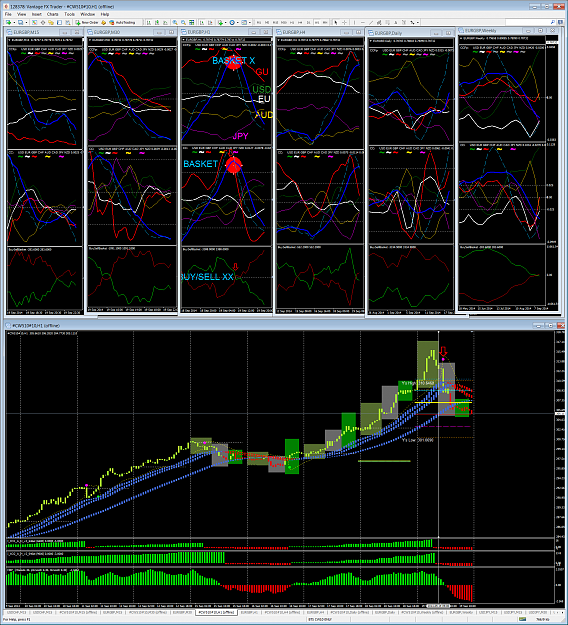
hi guys love your work and a great thankyou to S9 and all posts,...regarding KTs recent posts 5625 on....re c5/c14 buy/sell strength..entry etc etc......Ii do feel sometimes we can overcomplicate things somewhat.....eg the BSEA was built around the cc/ccfp slope strength indis.....unless I am mistaken ?...I have been using them for a long time and find they are the best indicator as they are real time guage of each currency on all time frames....seeing the EA was built around cc/ccfp etc I am very surprised to see in the previous 5000 posts I have hardly seen it used re charting or in combo with the EA...etc etc....so just as a matter of interest I have attached a shot of how I use the indis in combo giving a very simple easy picture of whats going on (I have on all tframes)....nb the blue is the is the basket indicator overlaid onto the cc and ccfp and therefore is relevant to each other as they are related...also note gbp <> basket is also very good signal confirmation at the mo...good luck to all using this great system...