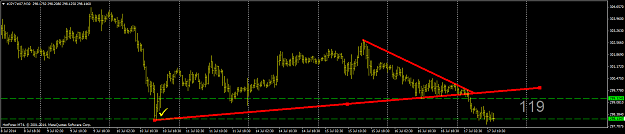
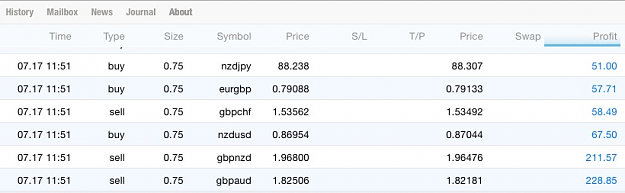
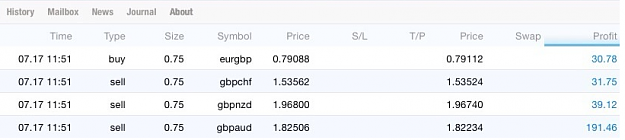
Most of us want to trade so badly that we “manufacture” a trade, or use conflicting “ technical indicators” This is a mistake and driven by greed. There is no logic to support trade entry or exit. End result: Broker was stop hunting and I got SCREWED.
Plan your trades - Trade your plan. In London having lunch - money never sleeps trade on the go KaChing
JPY done for the day! Paul https://charts.mql5.com/5/235/usdjpy...arkets-ltd.png Most of us want to trade so badly that we “manufacture” a trade, or use conflicting “ technical indicators” This is a mistake and driven by greed. There is no logic to support trade entry or exit. End result: Broker was stop hunting and I got SCREWED. Plan your trades - Trade your plan. In London having lunch - money never sleeps trade on the go KaChing {image} {image} {image}
Ignored
Sam,
Thank you for all your help. I do agree with your style of trading. Indy's do lag, but they do give a conformation on the entrees. I am trusting more the trends, pivots, repentance and supports and using them to plan my trades. The EA will make one lazy so one must use all available evidence formulating the next entry plan. Please do not take me wrong, I just employ fudge room in my exit pains. I have been bit to many times by the "Greed Bug". I have shared in this thread what I have found that works best just using the EA. And I must say that alone will make one lazy. Have to us the full tool box. So again, thank you for your great insight, experience and the desire to share. Cheers
Sam, congratulations on your success! Any chance you can share about thePoint Of Interest pivot you are working with? As for me, I will have to do research and use indicators for now
Sam, congratulations on your success! Any chance you can share about the Point Of Interest pivot you are working with? As for me, I will have to do research and use indicators for now {image} {file} {file}
Ignored
I pick and add my POI / Trend lines by eyeballing the charts. Look LEFT and you will see what I'm talking about .Zoom out your chart as much as you can. It's all there right under your nose. You don't need lagging indicators to show you the way.
{quote} Sam, Thank you for all your help. I do agree with your style of trading. Indy's do lag, but they do give a conformation on the entrees. I am trusting more the trends, pivots, repentance and supports and using them to plan my trades. The EA will make one lazy so one must use all available evidence formulating the next entry plan. Please do not take me wrong, I just employ fudge room in my exit pains. I have been bit to many times by the "Greed Bug". I have shared in this thread what I have found that works best just using the EA. And I must...
{quote} I pick and add my POI / Trend lines by eyeballing the charts. Look LEFT and you will see what I'm talking about .Zoom out your chart as much as you can. It's all there right under your nose. You don't need lagging indicators to show you the way. Cheers.
Ignored
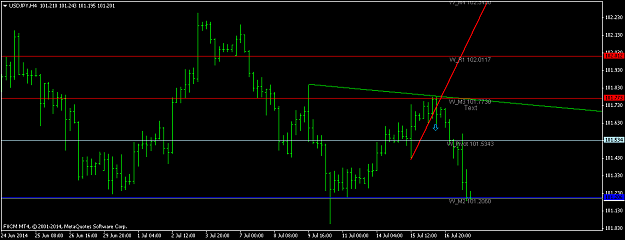
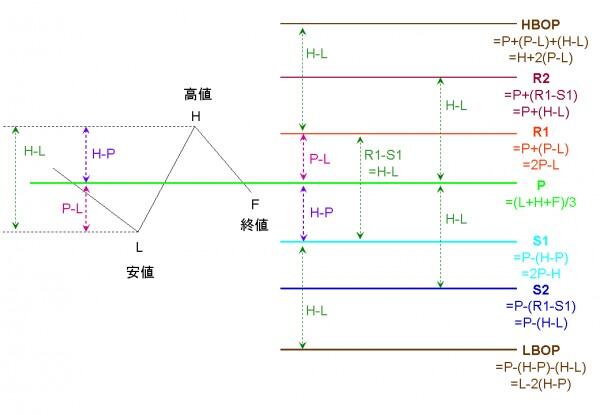
That is unique. Where did you learn, or come up with the idea? I'm trying to figure a way to put pivot points on the JPY7. For regular pivot points and R1 values, I add and then divide by 7. I don't get a number close to what the chart has. This site has 6 of the 7 pair http://www.dailyfx.com/technical_analysis/pivot_points
Have to calculate the 7th pair.
{quote} That is unique. Where did you learn, or come up with the idea? I'm trying to figure a way to put pivot points on the JPY7. For regular pivot points and R1 values, I add and then divide by 7. I don't get a number close to what the chart has. This site has 6 of the 7 pair http://www.dailyfx.com/technical_analysis/pivot_points Have to calculate the 7th pair. {image}
Ignored
Google Series 3 / 34 / 7 / 4 you will find the answers. Discipline - Hard work - Patience - Consistency. I'ts after midnight. Catch you guys laterrrrrrr
c14 - it up by 60 pips now. Can lock 10pips or you can wait little bit more original its works like this 100pips floating profit ---> lock 50 - 58 pips 200pips ---> lock 110 to 120 pips best of luck. Regards hukam
Ignored
#c14#tf30min
total pips by now is 230-260pips
locked 135pips.
{quote} Google Series 3 / 34 / 7 / 4 you will find the answers. Discipline - Hard work - Patience - Consistency. I'ts after midnight. Catch you guys laterrrrrrr
Ignored
I worked at Merill Lynch back in 1992 in Coral Gables, Florida. I was on the penthouse suite. The rest of the building was being used by Texaco. When I would get on the elevator and hit the PH button, the Texaco guys would say I'm going to the POOR HOUSE.
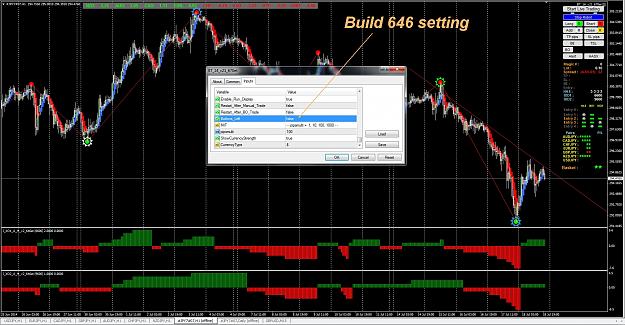
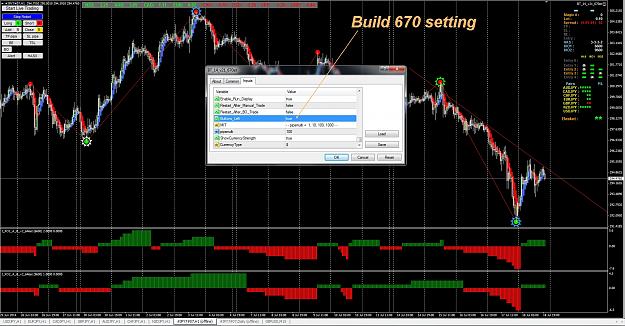
Here is a temporary EA to use until they get the MT build 670 fixed. I have added an option so you can move the Buttons to the left side of the screen.
Nothing else has been changed, you can use this version under 646 or 670, only the option to move the Buttons has been added.
BT_14_v21_670et Here is a temporary EA to use until they get the MT build 670 fixed. I have added an option so you can move the Buttons to the left side of the screen. Nothing else has been changed, you can use this version under 646 or 670, only the option to move the Buttons has been added. It has been compiled under build 670. It is posted on the first page. {image} {image}
BT_14_v21_670et Here is a temporary EA to use until they get the MT build 670 fixed. I have added an option so you can move the Buttons to the left side of the screen. Nothing else has been changed, you can use this version under 646 or 670, only the option to move the Buttons has been added. It has been compiled under build 670. It is posted on the first page. {image} {image}
Here is a temporary EA to use until they get the MT build 670 fixed. I have added an option so you can move the Buttons to the left side of the screen.
Nothing else has been changed, you can use this version under 646 or 670, only the option to move the Buttons has been added.
It has been compiled under build 670.
It is posted on the first page.
Hey Sellar...Is there a video to this update or a PDF? LOL LOL Just kidding...Im only kidding....LOL...Thanks for the update Sir.....




 trade on the go KaChing