I see the EA seems to be making some good trades for some of you, if you could, can you post as to how you are picking your pairs to trade and also your HAS and IXO settings, that would be a great help to everyone.
I see the EA seems to be making some good trades for some of you, if you could, can you post as to how you are picking your pairs to trade and also your HAS and IXO settings, that would be a great help to everyone. Thank You and Good Luck
Hey seller is there a way to have the EA only display the actual buttons and non of the entry info magic number info etc
Ignored
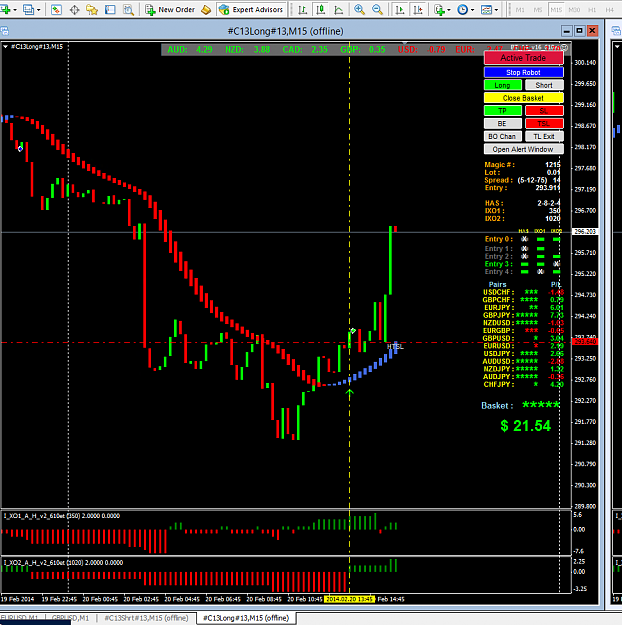
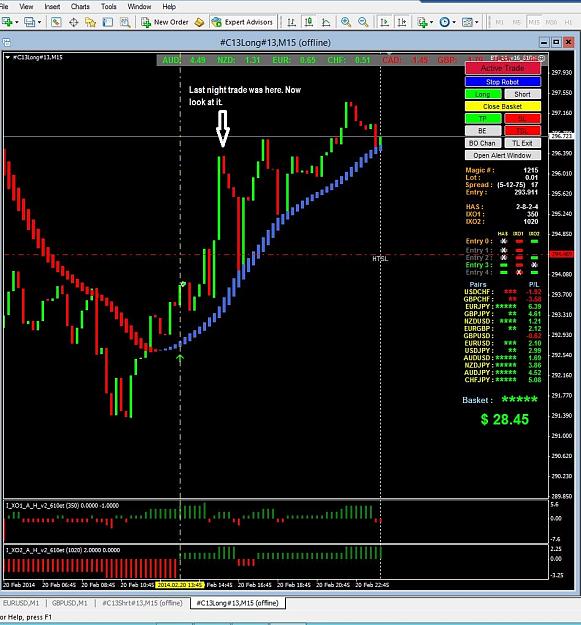
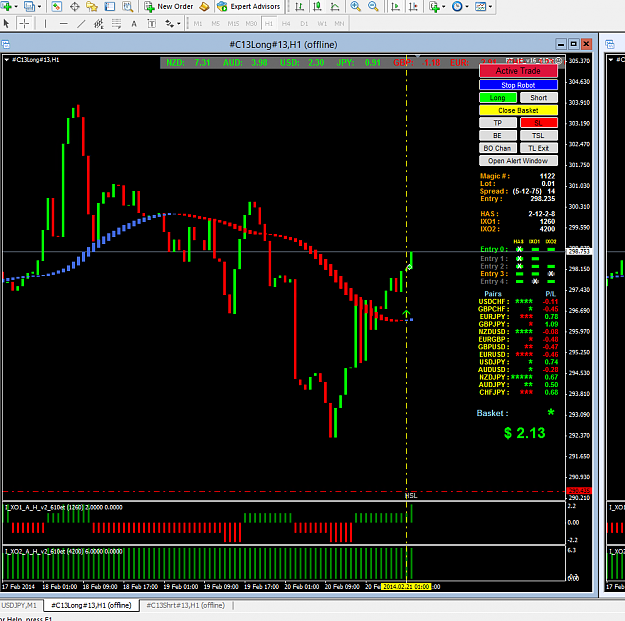
The purpose in showing this information is so other traders can learn from the settings of others when charts are posted and for those that decide to post their charts they do not have to type in any settings as they are all right there on the chart.
It also helps to determine if there is a problem when a chart is posted, most of the information is there to check out.
I am planning on adding other things to the display to make it more apparent to what the trader is doing, so I don't chase bugs that don't exist.
Some traders just post a reply saying "It doesn't work" with no further information and expect someone in the forum to try and guess what they are trying to do.
This is an open forum and the only way for everyone to learn is to see what others are doing.
There is always only a very small percentage of the traders reading and using this forum that will post anything or are willing to help others, that is OK and to be expected, but at least the idea of an open forum to all exists, everyone is welcome.
{quote} The purpose in showing this information is so other traders can learn from the settings of others when charts are posted and for those that decide to post their charts they do not have to type in any settings as they are all right there on the chart. It also helps to determine if there is a problem when a chart is posted, most of the information is there to check out. I am planning on adding other things to the display to make it more apparent to what the trader is doing, so I don't chase bugs that don't exist. Some traders just post a reply...
Ignored
Ahh i see that makes sense. Thanks for the response and TY for all your work in the pursuit of Forex Knowledge!
Keep up the good work!
P.S. Cant wait to play with the Supply & Demand EA
He who knows when he can fight and when he cannot, will be victorious.
I had a brainstorm..You could use this EA to trade certain pairs which go in the same direction when they are in a trend? Just an idea....I will research which pairs tend to trade together in the same direction when they are in a trend...
I had a brainstorm..You could use this EA to trade certain pairs which go in the same direction when they are in a trend? Just an idea....I will research which pairs tend to trade together in the same direction when they are in a trend... Jimmy
Ignored
you can make your own basket. i usually make mine with the same base currency in each basket. audjpy, audusd, audchf..etc..
I facing a lot of problem to write and express myself in english (including to ask questions)...very sorry for thousand time. I've found your thread 3 months ago and really feel impressive with your post due to your openness and willingness to share your ideas, knowledge, skills and thoughts. I am sure you have sacrifice a lot of your time and effort to make things happen and make all this the best of it. I salute you from start until now.
It is quite difficult and tough for me to understand all the forex terms and settings because I'm very new in this field (newbie) but I still push myself to learn and align as it should be. I did this because I believe in you (and also to generous contributors) and the system to achieve my purpose.
Let me tell you my purpose....I want to improve my financial obligation so that I'm able to help poor people. I want to help youngsters to further their education, I want to pass all the knowledge and skills that I learn from here to people who are in need.....so they can take care their family and parents due to financial need and so forth.
I know the risk in forex trading but I also believe your effort able to make forex trading an excellent path and life changing.
Please don't stop somewhere or somehow because I believe many people in this thread and out there rely on you (and also to generous contributors).
I don't know if this sound awkward or silly but I think I already deliver my message with good intention and positive thoughts.
best regards
KopraTasa.
You do good, Good will come to you. Self deception never succeed.
I have just downloaded and installed MT4 Version 4, Build 610 from Alpari UK and downloaded and installed all the files from the zip file on Page 1 for BT_14_v16_610et.ex4. My problem is in the Alpari MT4 folder (on my "C" drive) when I open the file MQL4 I do not get the same files as shown in the video. All I have showing are Experts, Include, Indicators, Libraries, Scripts. There is no "Files" file showing to download the Files from the zip folder into, or any of the other files. I have installed all the other files and the ForceLoadHistoricalData has done it's job. When I come to the next step of installation and load Basket_Create_v3_610et it has no files to find.
Hi Guys I have just downloaded and installed MT4 Version 4, Build 610 from Alpari UK and downloaded and installed all the files from the zip file on Page 1 for BT_14_v16_610et.ex4. My problem is in the Alpari MT4 folder (on my "C" drive) when I open the file MQL4 I do not get the same files as shown in the video. All I have showing are Experts, Include, Indicators, Libraries, Scripts. There is no "Files" file showing to download the Files from the zip folder into, or any of the other files. I have installed all the other files and the ForceLoadHistoricalData...
Ignored
Try reinstall...............
I use the same, seemed all right, only problem is i am not be able to apply Forceloadhistoricadate with spread betting acc. but it works with other type acc.
Hi Guys I have just downloaded and installed MT4 Version 4, Build 610 from Alpari UK and downloaded and installed all the files from the zip file on Page 1 for BT_14_v16_610et.ex4. My problem is in the Alpari MT4 folder (on my "C" drive) when I open the file MQL4 I do not get the same files as shown in the video. All I have showing are Experts, Include, Indicators, Libraries, Scripts. There is no "Files" file showing to download the Files from the zip folder into, or any of the other files. I have installed all the other files and the ForceLoadHistoricalData...
Ignored
Copy from download "File" and all in and Paste UNDER MQL4. File will there. Then Close Alpary UK Mt4 platform and start again. Supposed be now everything there.
I had a brainstorm..You could use this EA to trade certain pairs which go in the same direction when they are in a trend? Just an idea....I will research which pairs tend to trade together in the same direction when they are in a trend... Jimmy
Ignored
yes it possible, but this ideas is different from basket trading & it should be workout with different tools & ea.
Well, I don't know how I did it but I have everything up and running! I removed previous copies of MT4 and then reinstalled and the "Files" file then magically appeared! Many thanks to STD-uk and x58 for your help . Now all I have to do is read through the whole thread and see where this EA will take me Cheers









 I removed previous copies of MT4 and then reinstalled and the "Files" file then magically appeared! Many thanks to STD-uk and x58 for your help
  Cheers