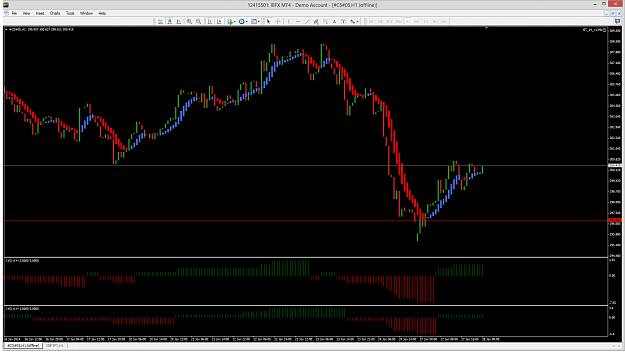
justin...seller9 have explained all in the videos he have uploaded in post #1. Take a look at them...It's all there,and seller9 take you by the hand and guide you in a easy way:-)
Seller9, any feedback on the BT14 v13 why the reload window shuts down the trade when yes is clicked? Some times it works to click no on the second window. Sometimes it does not,
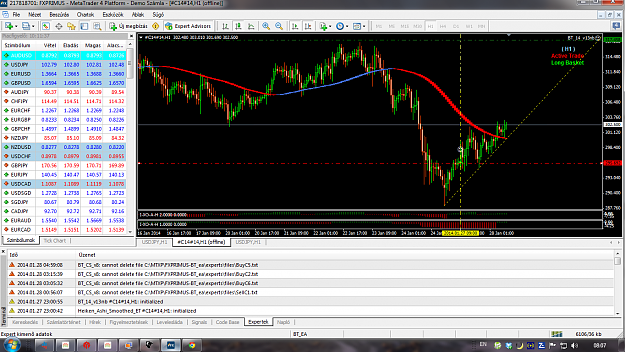
{quote} Here is what I am running all at the same time: 2 Demo accounts 5 Version 13 EAs active 12 Basket Create v2 indies active 7 II_SupDem indies active 4 of the offline charts have HAS and IXO on them active {image}
Ignored
Interesting to see that it's still using only that amount of CPU.
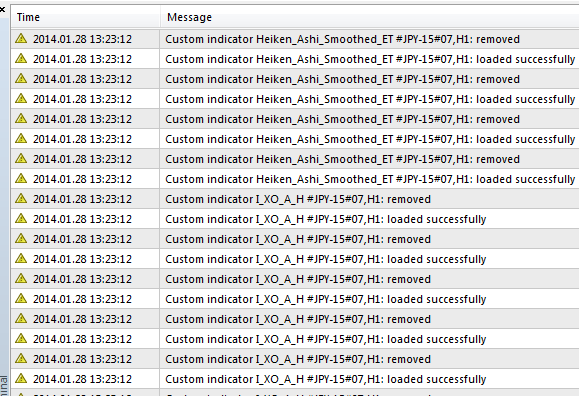
I think I've nailed down the problem to the EA itself, if i have the EA enabled, it seems to add and remove the indicators required again and again (as if on every tick), check out the screenshot below. If i remove the EA, those logs stopped and CPU back to normal level. Is there a setting in the EA itself that turns that on/off (I look through the videos and EA settings myself but can't find anything obvious)?
Hi all, first of all mention that the system seems magnificent, I only play on manual, but in my real account so far this month has increased by 15%, an option that I find interesting, serious would seem that of putting a point where the system will buy or sell at a certain point, for example, I use pivots and do well, I would save a lot of time if I could leave activated a buy or sell at a certain point, for example in 321.250 buy or sell at that point is not whether this can be done differently and my ignorance will not let me see it, thanks again for the system and greetings to all traders
Hi all, first of all mention that the system seems magnificent, I only play on manual, but in my real account so far this month has increased by 15%, an option that I find interesting, serious would seem that of putting a point where the system will buy or sell at a certain point, for example, I use pivots and do well, I would save a lot of time if I could leave activated a buy or sell at a certain point, for example in 321.250 buy or sell at that point is not whether this can be done differently and my ignorance will not let me see it, thanks again...
Ignored
Try using the breakout channel .. F5...its very flexible, you can delete one of the lines or just move it out of the way.
Anyone please anwser a question, how many ofline charts can you have running of a single JPY/USD M1 charts? or does each offline chart need its own base live chart? Thank you for your help. I'm using the BT14 v13nb ea.
Anyone please anwser a question, how many ofline charts can you have running of a single JPY/USD M1 charts? or does each offline chart need its own base live chart? Thank you for your help. I'm using the BT14 v13nb ea.
Ignored
You can run multiple offline charts from one baseline chart but im not sure what the maximum number is. Have you watched Sellars video's?
Yeh, I know thats whats in the video, but on of the word doc's and a post back in Dec showed using a JPYUSD M1. CAn someone please confirm one way or the other? Thanks, steadyincome.
Yeh, I know thats whats in the video, but on of the word doc's and a post back in Dec showed using a JPYUSD M1. CAn someone please confirm one way or the other? Thanks, steadyincome.
Ignored
My current online chart consists of a 1 minute USD/JPY chart containing 7 baskets.
Yeh, I know thats whats in the video, but on of the word doc's and a post back in Dec showed using a JPYUSD M1. CAn someone please confirm one way or the other? Thanks, steadyincome.
Ignored
The video's contain the most up to date information on the latest releases.
{quote} Interesting to see that it's still using only that amount of CPU. I think I've nailed down the problem to the EA itself, if i have the EA enabled, it seems to add and remove the indicators required again and again (as if on every tick), check out the screenshot below. If i remove the EA, those logs stopped and CPU back to normal level. Is there a setting in the EA itself that turns that on/off (I look through the videos and EA settings myself but can't find anything obvious)? {image}
Ignored
Try this.
Make sure you have history for time frame that keeps reloading itself.
Try the "ForceLoadHistoricalData" script from the zip file.
Hello, Great trading today up 240 pips all executed automatically on 5 core 15min, 1hr and 14 pair 1hr. Some tweaking of settings required as i more than i would like back to the market, been trying different SL, BE and exit options. I'm also find the 15min core 5 to be unprofitable with my current settings, as i cant monitor the trades regularly (at work!) Only intervention today was to adjust the SL's (in respect to price action and S&D) when i popped home for lunch.
Using a SL of 375 core 5 15min & 1hr, 350 jpy 1hr, 600 on gbp6, 14pair 1hr 350. Anyone care to share there settings and how they are working out?
I haven't quite figured out the ideal options, only scratched the surface so please don't copy my settings without testing. I'm at the moment making changes once a week in general then testing for a week of live trading.
I haven't been using a TP at all, exit based on either SL or HAS X & D exit options.
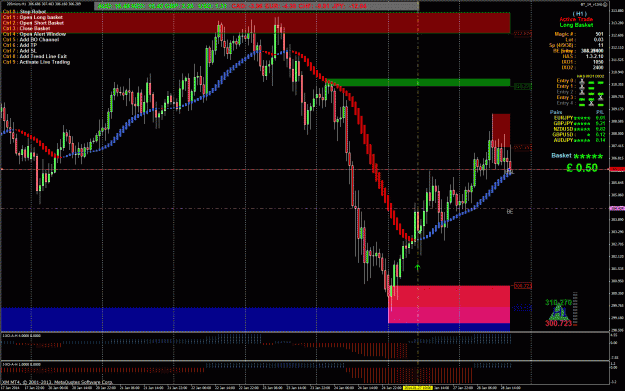
One bug i noticed in the screenshot below relates to the BE label on the right as you can see below, two instances of this on different charts.