DislikedHi Guys,
can help me step by step how to install the EA to my mt4? i got no idea how to do it.Ignored
Place your EA file (the file ending in .EX4) in the "experts" folder while MetaTrader is not running. The experts folder of your MT4 installation is usually: C
 rogram Files/MetaTrader 4/experts
Unzip the PresetsX.zip on your desktop and copy the 3 .set files to the "experts/presets" folder
C
rogram Files/MetaTrader 4/experts/presets(To unzip the PresetsX.zip right-click on the icon and choose "extract all" from the drop down menu.)
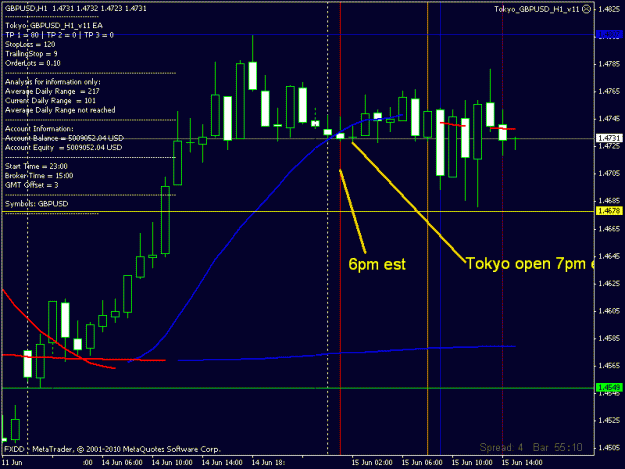
Start or restart MT4. You will notice the new EA in the navigator window on the left under "Expert Advisors". Drag and drop the icon of the EA to the H1 GBPUSD chart . This will result in a pop-up box that will allow you to enter any external variables that may be needed on the "inputs" tab. Make sure you click on "Allow live trading" under the ‘common’ tab of that box so the EA will work. You will typically also need to allow "Long & Short" trades to be enabled.
In the "inputs" window select "Load" and you can select the .set file for the number of trades 1, 2 or 3 options.
You must change the GMT offset to suit your brokers GMT offset, this is very important and must be correct.
Click OK. If you did everything right you will see a tiny smiling face (
 ) at the top right hand corner of the chart with the name of the expert advisor program that you are running next to it. Your EA is now up and running.
NOTE : If the face is not smiling, (
 ) it means you did not check the "allow live trading" check box when you attached it. To fix this simply left click anywhere on the chart, and select "expert advisors" from the drop down menu and then "properties" to get to the current EAs properties. Once there, on the common tab, click to allow live trading and click OK
If it is still not smiling, be sure the click the button in the MetaTrader toolbar (right in the middle) that says "Expert Advisors". It must have a green icon next to it. If it’s red, it is disabled.