



hmmm..
I just followed what you said you did, and it's exactly how I do it.
Not sure why it's not enlarging. Funnily enough, Clay's never used to enlarge either.
If you are worried about losing sight of the trade, all you have to do is hit 'screen shot' and then you can worry about posting it later.
Thats what I do, enter a trade, press screen shot, watch trade for a minute or two and then post into 'paint'.
If you wanted to watch the whole trade, then just take the shot at the beginging. when the trade closes, post that into 'paint' (or whatever you are using), then take another quick shot, edit the original, save it and the post hte new one.
You'll see the different in information it gives. You may not think so now as you know what you did in your own trade, but when others start posting, sometimes it difficult to see.
THis is why Clay was such and avid poster! It makes huge difference!
Lee
I just followed what you said you did, and it's exactly how I do it.
Not sure why it's not enlarging. Funnily enough, Clay's never used to enlarge either.
If you are worried about losing sight of the trade, all you have to do is hit 'screen shot' and then you can worry about posting it later.
Thats what I do, enter a trade, press screen shot, watch trade for a minute or two and then post into 'paint'.
If you wanted to watch the whole trade, then just take the shot at the beginging. when the trade closes, post that into 'paint' (or whatever you are using), then take another quick shot, edit the original, save it and the post hte new one.
You'll see the different in information it gives. You may not think so now as you know what you did in your own trade, but when others start posting, sometimes it difficult to see.
THis is why Clay was such and avid poster! It makes huge difference!
Lee
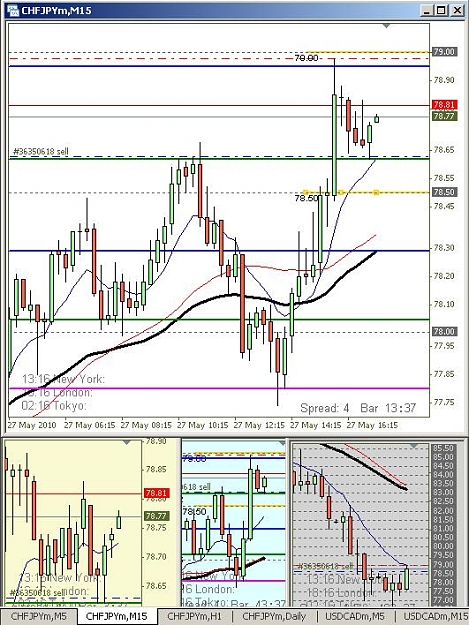


 . As I said above, same rules different way to take profits. That said, if from this great company we have in this thread
 , we discover something that can be used as a rule, we will change the rules. The idea of course is to try to keep this system as simple as it is without complicating it with unnecessary rules.


