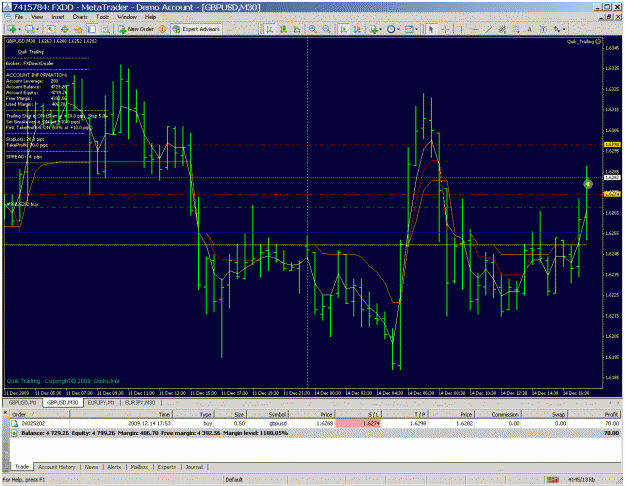
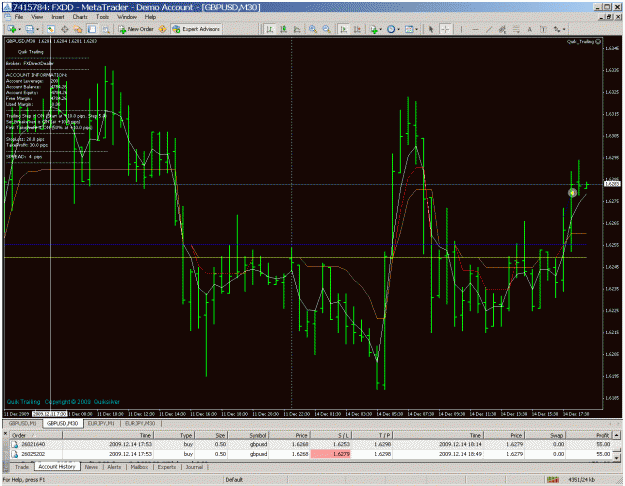
ok, i manage to put it in and have it started... but how do i set the tp1 and tp2? thanks
Ignored
set automatic TP and SL to false. Set TP to your TP2. Set First take profit to your TP1, I have it set to 50 percent so it closes half at TP1 which I have set at 10pips. I set break even at 10 pips and lock in 1pip for the second half. TP for the second half is set at 30. I start trailing at 10 with a 5 pip trailing step.
Here is my set file. I zipped it because .set files would not upload
Anyone considering entering this short GU signal? candle hasn't closed as yet and currently we have a possible retracement candle after a very long candle.
What you do is a reflection of you....what I do is a reflection of me.
I have been following this thread from the start and I cant help but come back every half hour just to read any new comments. This is a very exciting indi and WELL DONE AICCCIA, I can barly contain myself for the release of V4. I think with two more updates you could have a "V6" Twin Turbo, super charged, 5.8L Viper (Parked in your driveway)
Hello Nickmead.This Quik_Trailing EA to manage trades has a ALLOW_DRAG_PRICE LINES in it.Does this mean that the TP and SL lines can be moved up or down to lock-in profits by just using the mouse as price moves?Thanks------GOD BLESS----SJ
set automatic TP and SL to false. Set TP to your TP2. Set First take profit to your TP1, I have it set to 50 percent so it closes half at TP1 which I have set at 10pips. I set break even at 10 pips and lock in 1pip for the second half. TP for the second half is set at 30. I start trailing at 10 with a 5 pip trailing step.
Here is my set file. I zipped it because .set files would not upload
cheers
Ignored
really thanks for ur help...i have load ur .set ,let me interpret it, please correct me if i am wrong.
So once i enter the trade for example. 3 lots long @ 1.6500. The SL would be 20 pips which is 1.6480.
The Total take profit would be 30 pips but we break up into 3 portion.
If it hit 10 pips TP, it would close 50% which is 1.5 lots close.
Then e rest for example, trailing stop,set breakeven, i do not know how does it works..
Hello Nickmead.This Quik_Trailing EA to manage trades has a ALLOW_DRAG_PRICE LINES in it.Does this mean that the TP and SL lines can be moved up or down to lock-in profits by just using the mouse as price moves?Thanks------GOD BLESS----SJ
Ignored
Yes. If you double click on a SL or TP line you and drag it up or down. Enjoy
really thanks for ur help...i have load ur .set ,let me interpret it, please correct me if i am wrong.
[font=Arial][font=Verdana]So once i enter the trade for example. 3 lots long @ 1.6500. The SL would be 20 pips which is 1.6480.
The Total take profit would be 30 pips but we break up into 3 portion.
If it hit 10 pips TP,...
Ignored
Quicktrailing only has two TP's not three.
Breakeven allows you to move your SL to your entry price, or lockin profits after your first TP has been hit. The trailing stop works like the standard one in MT4 but you can decide when it starts.
I've loaded carmens 3.1 with default settings on 1 and 5 min GBP charts and the blue and yellow lines stay as 2 parallel lines about 1/3 from the top of the chart even when I scroll back days. Like below:
____________________________________________________________
Many thanks to aicccia for this excellent indicator and forexforex, ezzy and others for their insight.
Here is a pic of current trade. Quick trailing has closed half at 10 pips, Trailing stop has moved and locked in 5 pips on the remainder already. Second tp is set at 30 but I might move it higher if price action dictates
set automatic TP and SL to false. Set TP to your TP2. Set First take profit to your TP1, I have it set to 50 percent so it closes half at TP1 which I have set at 10pips. I set break even at 10 pips and lock in 1pip for the second half. TP for the second half is set at 30. I start trailing at 10 with a 5 pip trailing step.
Here is my set file. I zipped it because .set files would not upload
This is a handy tool written by a talented programmer (not me) . Put in experts and drag it onto the chart window. It allows you to close a percentage of your trade at tp1 and the rest at tp2. You also lock in pips at break-even when tp1 is reached or move TP and SL by dragging the lines on the chart.
Ignored
Hey nickmead,
Could you repost the tool please? Whenever I try and download it all I get is "attachment.php" which can't be right.
I've loaded carmens 3.1 with default settings on 1 and 5 min GBP charts and the blue and yellow lines stay as 2 parallel lines about 1/3 from the top of the chart even when I scroll back days. Like below:
____________________________________________________________
Only when I go up to 30 min and 1 hour charts do the blue and yellow lines start to follow price action somewhat.
Should this be happening?
Thanks for any help.
Ignored
lOOK AT THE TIME THAT THE CHANGES OCCUR ON THE 30 MIN AND THEN SCROLL BACK ON THE ONE MINUTE TO THE CORRESPONDING TIME AND YOU SHOULD SEE A CHANGE IN THE INDICATOR.
Hi AICCCIA
I got my 50 pips target today already and counting.
Can you please look at Carmen with the setting posted in POST # #674
Some are having difficulty though with the setup. Can you please double check when you can? I see that I can get a better entry using it. It just that I have to close and open MT4 every 30 minutes to get the the indicator to readjust corretly...not sure if this is a lag.
I hope it is not much to ask.
could somebody please confirm on GU, avg 3 space 1 (defalt settings), that Carmen has stayed as 2 static horizontal parallel lines on about 1.6265 (blue) and 1.6256 (yellow) ever since 9th december 11:00 GMT.
could somebody please confirm on GU, avg 3 space 1 (defalt settings), that Carmen has stayed as 2 static horizontal parallel lines on about 1.6265 (blue) and 1.6256 (yellow) ever since 9th december 11:00 GMT.
It hasn't changed and I'm not sure it's working.
Thanks.
Ignored
Yes, I can confirm that. I think it is to keep you from going in and out of too many trades in a ranging market. It has been pretty flat lately...
I'd like to use this opportunity to thank aicccia for sharing this indicator/system with us! I am trying it out on GBP/USD 1M with default settings.