Sorry but I mean, when it alerts you to a signal does it send you a screen shot also? or am I misunderstanding?
Ignored
I'm not aware of anything like that, sorry, no. I take all screenshots manually. I do have a utility that is supposed to take a screenshot when you open a trade and when you close a trade. The lot size and price are superimposed on the screenshot. Trouble is the darned thing doesn't work properly and it is a compiled file and I am not a hacker.
The new indy doesn't work on my computer. I removed the old one and replaced it with the new one. I restarted the computer and opened MT4 again. I tried to installed the new indy by dragging it to the screen, but nothing happens. What can be wrong? Does it work for everyone else?
The new indy doesn't work on my computer. I removed the old one and replaced it with the new one. I restarted the computer and opened MT4 again. I tried to installed the new indy by dragging it to the screen, but nothing happens. What can be wrong? Does it work for everyone else?
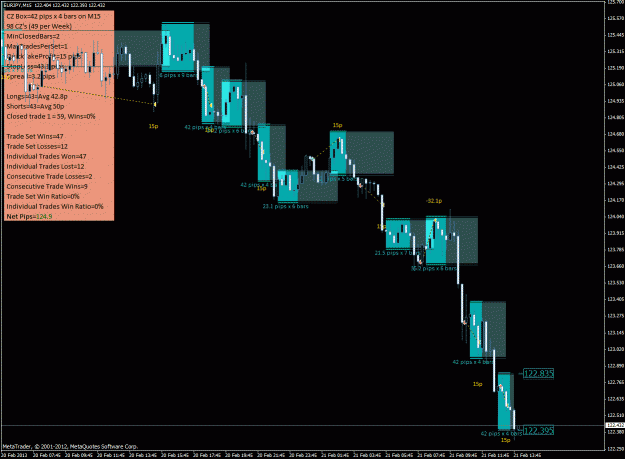
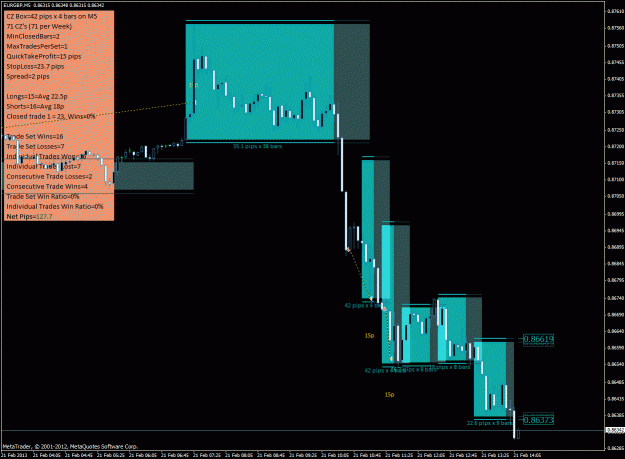
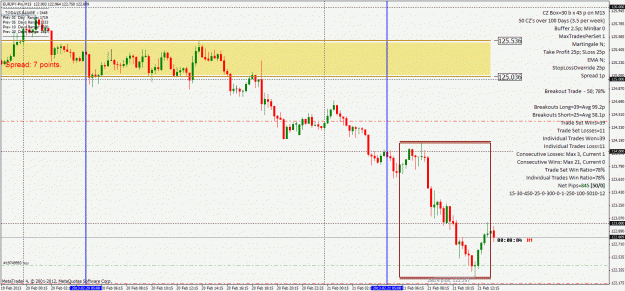
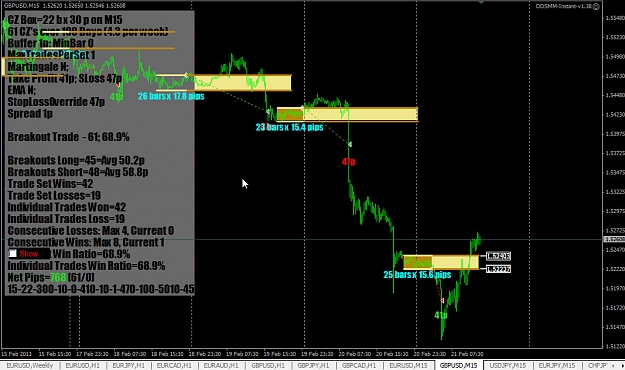
No criticism, but I dont get your chart. I dont see any CZ's really, its just looks like a trending market - any system can make money in a trending market. You have multiple, overlapping "cz's", I just dont see any "consolidation zones".
Sorry Gentlemen,
The attached chart is the new indicator, yet I can see no enhancements as described in Forexhard's post. I have deleted the old indicator and installed the new. Deleted the old charts and started afresh. Maybe someone can post a new chart with the new indicator.
Thanks in advance of your help.
Here is a perfect example, hot off the presses, of why it is so fucking important to treat the custom indicator with respect.
Notice the Net Pips line -- red numbers.
Then look for the Recovery 4 and Recovery 5 lines -- bad values that nobody would want to trade with.
But just a few hours ago all 3 lines were showing completely different, and totally acceptable values! Go back and look at my last couple of pics posted in here to see what I mean.
So what happened, why the serious discrepancies? Why does my dashboard...
Ignored
I REALLY appreciate this post. Thanks
And thanks for the latest development FHX and XUX!
The new indy doesn't work on my computer. I removed the old one and replaced it with the new one. I restarted the computer and opened MT4 again. I tried to installed the new indy by dragging it to the screen, but nothing happens. What can be wrong? Does it work for everyone else?
Ignored
All I do to install the new versions is the following:
1. Close MT4 as is
2. In your experts folder, delete the old version
3. Transfer the new version in the experts folder
4. Restart MT4
I don't have to change any settings, re-open charts or whatever.
All I do to install the new versions is the following:
1. Close MT4 as is
2. In your experts folder, delete the old version
3. Transfer the new version in the experts folder
4. Restart MT4
I don't have to change any settings, re-open charts or whatever.
Ignored
Thank you Jayf19, but in my case it was the downloaded file that was corrupted. I downloaded a new one and no it works fine. It will be nice to try all the new features.
Las Vegas-we no longer have a problem. Seems it was "Error 18". The problem was 18 inches from the screen.
Thanks for your expertise and time. I apreciate it.
Sorry Gentlemen,
The attached chart is the new indicator, yet I can see no enhancements as described in Forexhard's post. I have deleted the old indicator and installed the new. Deleted the old charts and started afresh. Maybe someone can post a new chart with the new indicator.
Thanks in advance of your help.
SendEmail, SendNotifications, ScreenShots and Alerts options are now two digit values. For the first digit, 0 means no action, 1 means an action only when a trade is opened, 2 only when a trade is closed, 3 in both cases. For the second digit, 0 means no action, 1 means an action when a new CZ is formed.
|
Joined Apr 2010
|
Status: Show me your Pips!
|205 Posts
I believe you meant:
1. Close MT4 as is
2. In your experts/indicators folder, delete the old version
3. Transfer the new version in the experts/indicators folder
4. Restart MT4
|
Joined Apr 2010
|
Status: Show me your Pips!
|205 Posts
Oz,
Good observation. I use SSBO a little differently to improve statistics. I find a CZ on a hourly, 2Hour, or 4 4hour chart and then take multiple trades on a 15 or 5 min chart from outside those higher time frame CZ's . Sorry for the confusion.
No criticism, but I dont get your chart. I dont see any CZ's really, its just looks like a trending market - any system can make money in a trending market. You have multiple, overlapping "cz's", I just dont see any "consolidation zones".
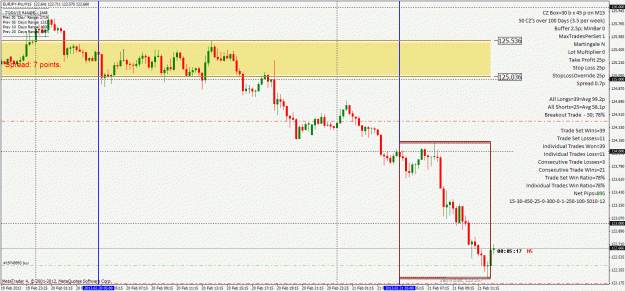
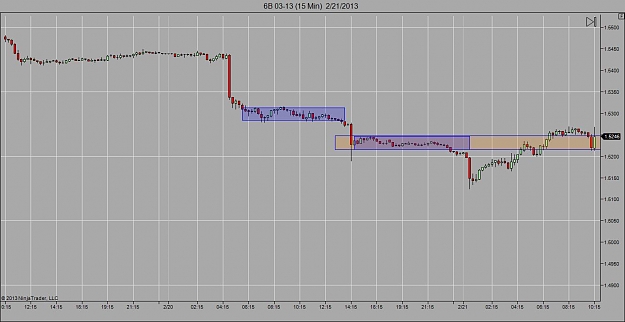
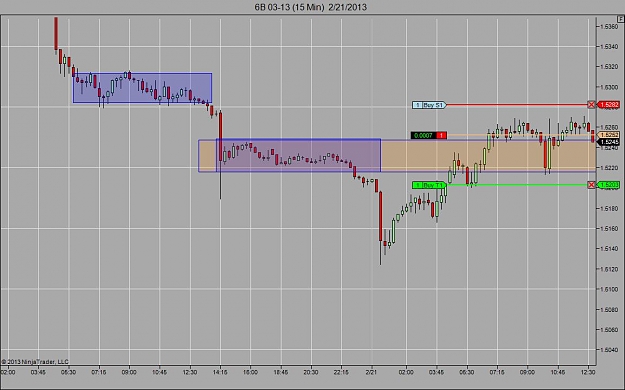
This is a sim trade I made as I get used to the extended CZ. I entered at 10:45...this is an excercise I'm doing to get a feel for price tending to return boxes.
I am aware it doesnt follow our entry rules, just thought it was another interesting example of the price and its relationship to the extended box.



 Extracted Thread (per thread starter's request)