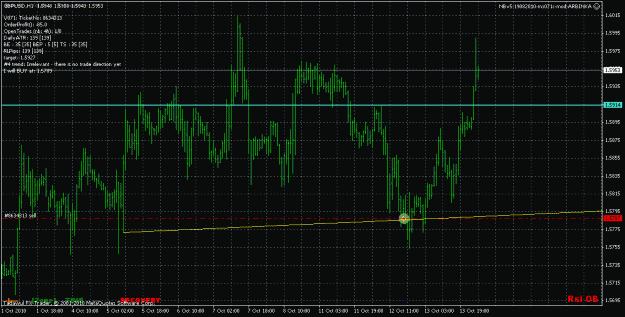
I traded my EA (which was just NB system) that I built that is similar to the 'beast'. However, it still had HUGE challenges during big big big runs.
One of the things that helped me out big time was that I never traded more than X pairs of the same currency. So, I think to warn others to use the Master EA for such would be a wise improvement to the risk trading.
These are my settings as my starting lot size is 0.05 and if anyone can tell me what they think:
I traded my EA (which was just NB system) that I built that is similar to the 'beast'. However, it still had HUGE challenges during big big big runs.
One of the things that helped me out big time was that I never traded more than X pairs of the same currency. So, I think to warn others to use the Master EA for such would be a wise improvement to the risk trading.
These are my settings as my starting lot size is 0.05 and if anyone can tell me what they think:
[code]extern string grk="---- Max Lot by currency ---";
extern double...
Ignored
Means 100 trades for USD !!!
personnaly I will choose :
No it's rather complex and not configurable. For moment I writed this code for myself and i feel confortable with it. Look at the code in order to understant it.
Ignored
Max
I had two close outs today. The first there was this message:
CLAf-DD_Pct @ 15h3(20) EquityInPct=1.47 DD_Pct=-0.63
The second time just a few minutes ago there were two messages:
CloseALL (12) @ 23h45 Net=1.96 Lowest=-1.46
CLEv-Net>1 @ 23h45(12) Net=1.96 Lowest=-1.46
What do these mean?
Also can the various messages be written to the Journal please? They will be very useful for analysis later.
Arbinka:
So you don't see any of these types of issues with your 71c?
Well past the recovery line, yet no recovery trade taken? Or (most likely) am I missing the logic of recovery?
Arbinka:
So you don't see any of these types of issues with your 71c?
Well past the recovery line, yet no recovery trade taken? Or (most likely) am I missing the logic of recovery?
I had two close outs today. The first there was this message:
CLAf-DD_Pct @ 15h3(20) EquityInPct=1.47 DD_Pct=-0.63
The second time just a few minutes ago there were two messages:
CloseALL (12) @ 23h45 Net=1.96 Lowest=-1.46
CLEv-Net>1 @ 23h45(12) Net=1.96 Lowest=-1.46
What do these mean?
Also can the various messages be written to the Journal please? They will be very useful for analysis later.
I think it has to do with the fact I am running it at .05 lots on 5k.
1.5x .05 lots is .075 lots, which cant be opened. The latest max bot gave me the error invalid trade volume, so at least I knew what was going on, the 71c just doesnt do anything at all.
Some code should be added to round lotsizes to acceptable to broker values. But for now I guess I'll just change the lot multiplier on recovery trades so they can be taken.
I think it has to do with the fact I am running it at .05 lots on 5k.
1.5x .05 lots is .075 lots, which cant be opened. The latest max bot gave me the error invalid trade volume, so at least I knew what was going on, the 71c just doesnt do anything at all.
Some code should be added to round lotsizes to acceptable to broker values. But for now I guess I'll just change the lot multiplier on recovery trades so they can be taken.
Ignored
Max I have seen this problem before but I did not have any clever solution for it except the following:
1. Add global variable int LotDigits.
2. In init() function add the following:
double minlot = MarketInfo(Symbol(),MODE_MINLOT)
if (minlot)==1) LotDigits=0;
if (minlot)==0.1) LotDigits=1;
if (minlot)==0.01) LotDigits=2;
3. In every OrderSend statement NormalizeDouble lotsize4H or lotsize with LotDigits for example:
Don't think its a bug, its two different trade setups, just happen to be in diff directions. I have had a couple like that
Ignored
Yes but should it be allowed to take two opposing trades close to each other? I do not see the point as it will always cancel each others profits. I would have thought a check is made to prevent it.
Noticed these two opposing trades on USDCAD taken this morning with V103.
A Buy using at 04:00 with #3
A Sell using TX4 at 08:42
Perhaps a bug?
Z
Ignored
I think this is a bug. NB trades and TX4 trades are using the same magic magicCounterTrend in this case they shouldn't be in different directions otherwise recovery goes wrong and you get invalid stop errors .
Look at your journal to see if you have invalid stop on one of them.
I think this is a bug. NB trades and TX4 trades are using the same magic magicCounterTrend in this case they shouldn't be in different directions otherwise recovery goes wrong and you get invalid stop errors .
Look at your journal to see if you have invalid stop on one of them.
Ignored
I cannot find any invalid stops on them but can see some re-log on messages from perhaps a connection problem.
I think this is a bug. NB trades and TX4 trades are using the same magic magicCounterTrend in this case they shouldn't be in different directions otherwise recovery goes wrong and you get invalid stop errors .
Look at your journal to see if you have invalid stop on one of them.
Ignored
Nb trades use magicCounterTrend 4H tardes use magicOnTrend Some of trix that are on the trend use magicOnTrend Some of trix that are counter trend use magicCounterTrend
this one adjust Lot according Pipvalue and DailyATR
Ignored
I can see that except the new option for lot size version 109 also take care for adjusting the lot value to the brokers lot digits. this will fix the error reported by tazmaan


 (SPREAD on AUDNZD last night, 42 pips!) haha.....

 Nanningbob V5: Steve Hopwood's auto-trading robot