



 VR Black Box – Expert Advisor is a powerful trading strategy based on strict price following. The program algorithm analyzes the price movement in the situation: when the price rises, the Expert Advisor trades to buy a financial instrument; if the position is closed at Stop Loss, the trade is reversed, and the Expert Advisor continues to trade for sale. All trading is automated, without trader's participation. This Expert Advisor can masterfully hide the actual closing prices from the real Stop Loss and Take Profit levels, which significantly affects trading profitability if the broker uses shady schemes.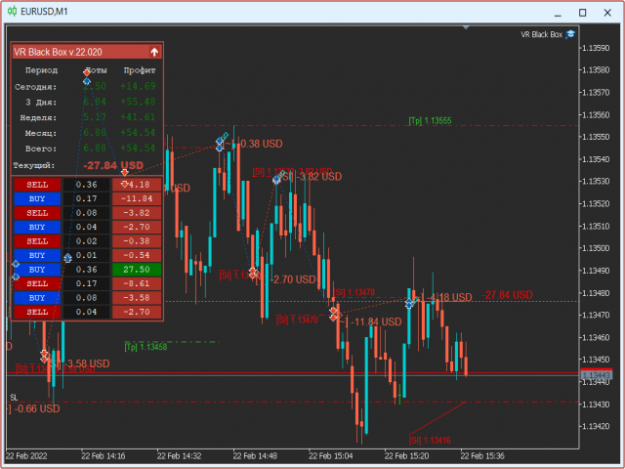
 Demo version + Set files Download
VR Black Box – Expert Advisor is a powerful trading strategy based on strict price following. The program algorithm analyzes the price movement in the situation: when the price rises, the Expert Advisor trades to buy a financial instrument; if the position is closed at Stop Loss, the trade is reversed, and the Expert Advisor continues to trade for sale. All trading is automated, without trader's participation. This Expert Advisor can masterfully hide the actual closing prices from the real Stop Loss and Take Profit levels, which significantly affects trading profitability if the broker uses shady schemes.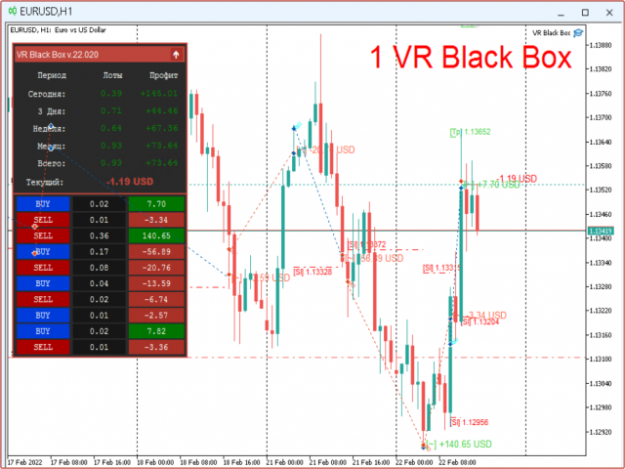
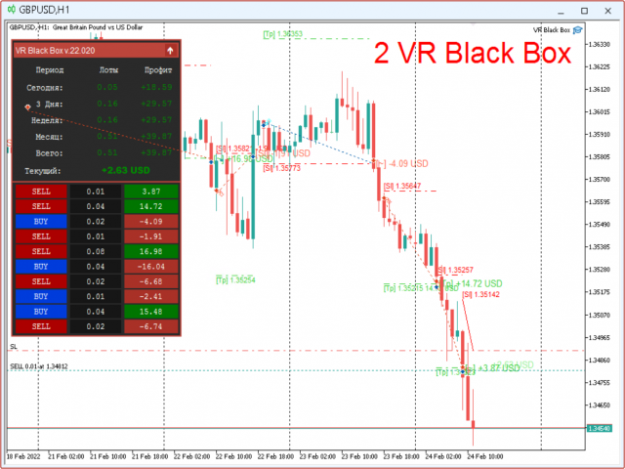
 The VR Black Box Expert Advisor has been developed in the trading mode on real accounts for several years. Regular updates, testing new ideas, implementing indicator trading have made VR Black Box as a powerful, unique trading algorithm that can surprise not only novice traders, but also traders with high experience in automated financial trading. To see and evaluate the Expert Advisor, it is enough to put it on a demo account and follow its work for a few days or weeks.
 What we need to get started:
- trader's level of knowledge: novice, expert, professional;
- financial markets: Forex, Crypto, CFD, Futures, Metals;
- training or demo account (you can open an account at our partners);
- carefully study the Expert Advisor guide;
- launch several program copies on different financial instruments with various settings.
Demo version + Set files Download
The Expert Advisor has many advantages, there are just a few of them:- the Expert Advisor is easy to set up;
- it is suitable for novices and professionals;
- it can accompany and control the positions of other Expert Advisors;
- it automatically takes into account commissions and swaps;
- it works with any financial instruments (Forex, Crypto, CFD, Futures, Metals);
- VR Black Box can be optimized in the strategy tester;
- the Expert Advisor can trade in any time period.
With the program, we provide:
- sets of installation files (set files) from the developer;
- free updates of the programs and instructions;
- free technical support;
- additional materials and files.
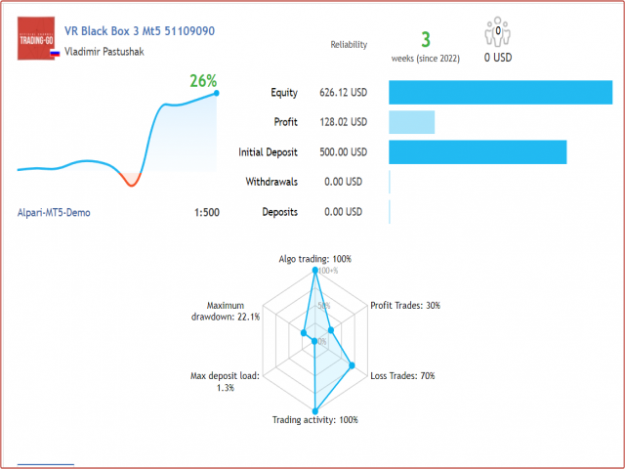
 When developing trading systems, anyhow, you notice that certain types of trading systems are more survivable than others. Over time, experience and knowledge of each trading system are accumulated. While working on the VR Black Box, Expert Advisor, I tried to minimize risks and maximize profits. I applied all my experience and knowledge to achieve positive results. Of course, this Expert Advisor didn't become «Holy Grail» and still carries risks, but it is one of the most stable Expert Advisors at the moment.
The first versions of the Expert Advisor used static Stop Loss and Take Profit levels, which didn't allow you to reduce the loss. I added the function of pulling up the Stop Loss price following the current price in this latest version. This allowed you to greatly reduce the loss and increase the profitability when closing a position at Take Profit. The following algorithms were also implemented:
- Trading in real and virtual mode. In the case of using the real mode, the Expert Advisor sets real Take Profit and Stop Loss, all values are fixed on the broker server side. In the case of using virtual levels, the program algorithm sets real increased Take Profit and Stop Loss levels, while each position is force closed a few points earlier. The virtual trading mode will be useful if you don't want to show the broker the levels at which the market position will be closed.
- The price tracking algorithm allows you to move the loss fixation level following the price (Trailing Stop). Such algorithm allows to greatly reduce losses and increase profits. The spread size control allows you to limit trading operations at the moment of high volatility and large spread expansion.
- For traders who trade in manual mode, it's possible to configure the Expert Advisor for bringing losing transactions to a positive result.
- If you still decided to use the strategy tester for studying the VR Black Box Expert Advisor operation, disable everything related to the information display on the chart in the settings. This allows you to significantly increase the test rate, while the result of the Expert Advisor operation will be shown in the top left corner.
- The first launch of the Expert Advisor in the strategy tester may take some time, the reason for this is the loading and synchronizing the financial instrument history.
- Use the version of the MetaTrader 5 terminal for tests, because its tester is much more powerful and of higher quality. Developing and updating the MetaTrader 4 terminal were stopped several years ago.
Important! When testing the program in the strategy tester, please keep the following points in mind:
- The best testing is to use the program under real conditions. To evaluate the real effectiveness of the application, please buy the program for a short time and use it on demo accounts or micro-accounts.
- The strategy tester built into MetaTrader does not take into account the following: financial instrument, trading period, spread, leverage, commission, ping, requotes, real tick receipt rate, tick quality and other conditions.
- The profitability and loss results obtained with the strategy tester should not be taken into account!
 4/5 – is the designation of settings dependent on the number of decimal places. By default, all settings are specified for 5-digit brokers.
Demo version + Set files Download
VR Black Box Trading Robot Settings
< = Trading Settings = >
- * Maximum Spread (0-Disabled) - Maximum allowable spread at which the trading robot operates. Spread limitation only affects position opening. If the spread exceeds the specified value, the trading robot does not open positions but continues to monitor and modify previously opened positions.
- * Take Profit (0-Disabled) - Expected profit value, set in points.
- * Stop Loss (0-Disabled) - Expected loss value, set in points.
- Type of stop levels - Type of stop levels
- Real levels - Real classic levels sent to the broker and trader's terminal.
- Virtual Levels (Secret) - Virtual secret levels not sent to the broker and executed only on the trader's terminal. Important to note that in this mode, real classic levels are also set, but their prices are fictitious, much further from virtual levels, serving additional protection.
- New bar (select the timeframe for the new bar) - Trading on new bar, the trading robot performs trading operations only upon the arrival of the specified new trading period.
- Type of trading strategy - Type of trading strategy
- Jointly Buying and Selling - The trading robot works simultaneously on both buy and sell.
- Alternately Buying and Selling - The trading robot works alternately, depending on the current trend, alternating buys and sells.
- Accidental Purchase or Sale - The trading robot makes operations in random direction. (Analogous to "Heads or Tails" strategy).
- Only Buy - The trading robot works only with buy positions. No sell trading.
- Only Sell - The trading robot works only with sell positions. No buy trading.
< = Lot calculation settings = >
- The type of lot calculation - Type of initial lot calculation
- Fixed lot (Example: 0.01) - Fixed lot, the classic standard option.
- Percentage lot (Example: 3) - Percentage lot calculated as a percentage of balance. Percentage set in "The initial lot" setting.
- The balance for the minimum lot (Example: 300) - Balance lot calculated for the specified deposit amount. (Formula: Deposit / The initial lot) * Broker's minimum allowed lot. Example: Deposit $500, The initial lot $100, Minimum lot 0.01. Result: (500 / 100) * 0.01 = 0.05.
- The initial lot - Value for lot calculation
- Lot Multiplier (0 - Disabled) - Lot multiplier for cases when you need to increase trading volume after loss or profit.
- Type of lot increase - Type of lot increase
- Loss - Next lot increases after loss.
- Profit - Next lot increases after profit.
< = Distance calculation settings = >
- Type of delay after loss - Strategy for delaying the next position opening
- Disabled - Delay not used.
- By time - Delay by time specified in "Time waiting" setting.
- By distance - Delay by distance in points specified in "Distance waiting" setting.
- Time AND distance - Simultaneous delay by both time and distance, both conditions "Time waiting" and "Distance waiting" must be met to open position.
- Time OR distance - Works on first triggered condition, whichever comes first "Time waiting" or "Distance waiting".
- Time waiting (0 - Disabled) - Delay of new position opening by time. Time specified in seconds.
- * Distance waiting (0 - Disabled) - Delay of new position opening in points.
< = Trailing Stop Settings = >
- * Trailing Stop Size (0 - Disabled) - Trailing stop size, allows moving stop loss following the current price.
< = Balance Settings = >
- Close all positions with profit (50 or -50) (0 - Disabled) - Close all positions upon reaching specified profit or loss. Depending on the specified value, the trading robot will close positions if profit is greater than or equal to the specified value. Positive value for profit. Negative value for loss. Example: For profit 25, for loss -33.
- The Expert's actions after closing all positions - Trading robot actions after closing all positions by profit or loss.
- Closing all positions + stopping the robot - Close all positions and stop trading operations.
- Closing all positions + the robot will continue trading - Close all positions and continue trading.
< = Notification settings = >
- Manual mode, turning a losing trade into a profit - Enable mode to turn last losing position into profit. "MagicNumber" parameter must be set to 0.
- Panel Size - Information panel size
- Smartphone notifications - Smartphone notifications (Terminal must be pre-configured)
- Notifications in the terminal - Terminal notifications (Alert)
- Email Notifications - Email notifications (Terminal must be pre-configured)
- Notifications in the Telegram channel - Telegram channel notifications (Terminal must be pre-configured)
- The name of the telegram channel - Telegram channel name
- Telegram Bot Token - Telegram bot secret token key
< = Other settings = >
- Comments on positions - Position comments
- MagicNumber - Unique number to distinguish trading robot positions
- * Slippage - Slippage
* For prices like 0.12345 Example: 500; Number of characters after (.) 5 - For 5-digit brokers
* For prices like 0.1234 Example: 50; Number of characters after (.) 4 - For 4-digit brokers
About the author
Hello! My name is Vladimir and I have been programming trading strategies and creating trading robots for more than 15 years. In my work I use only my own ideas and strategies. Development of trading robots is my passion. Every day I test new innovative ideas and, based on them, create unique functions for trading robots. I create professional trading tools. You can easily test all my products in the strategy tester, on demo accounts and even on real accounts under real conditions. I show everything as is and make no promises or guarantees of profit. Do you want to use unique trading applications? Feel free to write to me at the contacts listed below.
Demo version + Set files Download