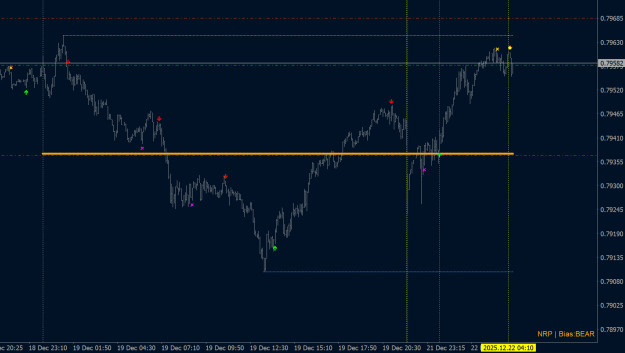
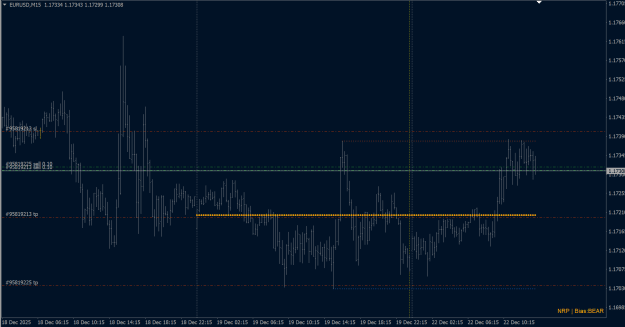
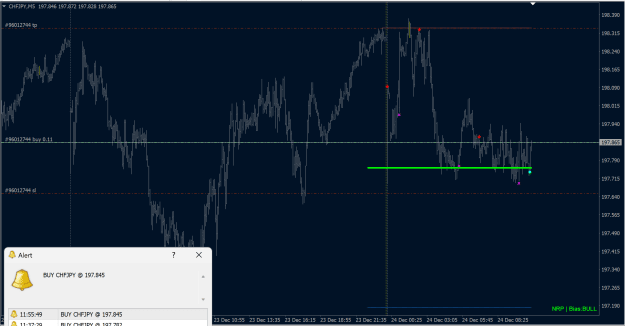
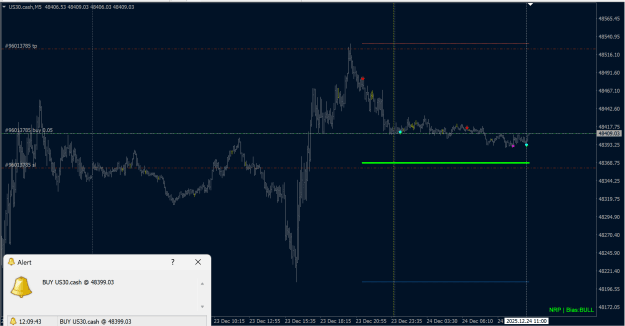
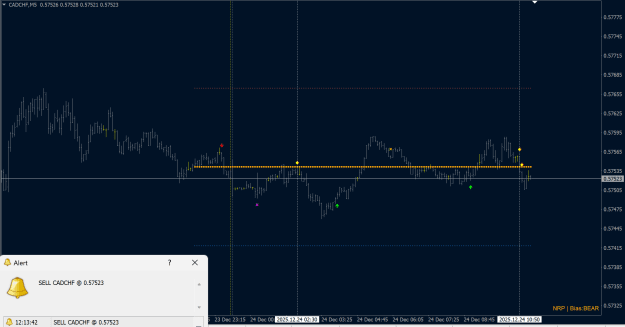
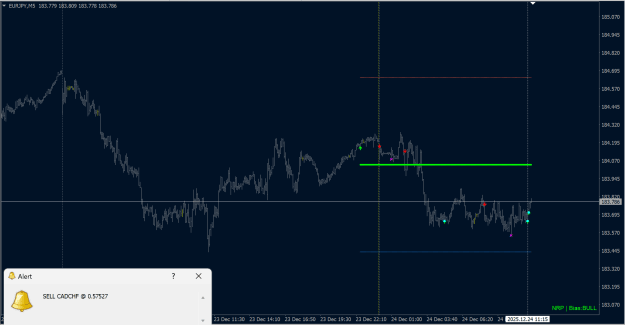
Only trade when trend and zone align. This single rule eliminates the two most common retail mistakes—counter-trend entries and poor price locations. DODF Setup enforces it automatically: signals appear only when multiple timeframes confirm direction AND price sits in the optimal daily zone. 

DOWNLOAD V1.10
----
DOWNLOAD V1.0.0
Attached Image (click to enlarge)
Inserted Code
================================================================================
WHAT THIS INDICATOR DOES
================================================================================
DODF_Setup filters trade signals through two independent validation layers:

1. ZONE FILTER: Identifies favorable entry zones within the daily price range
   based on higher timeframe bias direction.

2. SIGNAL FILTER: Confirms entries only when multiple timeframes align in
   the same trend direction.

Combined result: Signals appear only when BOTH conditions are met—trend
alignment across timeframes AND price positioned in the optimal zone.
Attached Image (click to enlarge)
Inserted Code
================================================================================
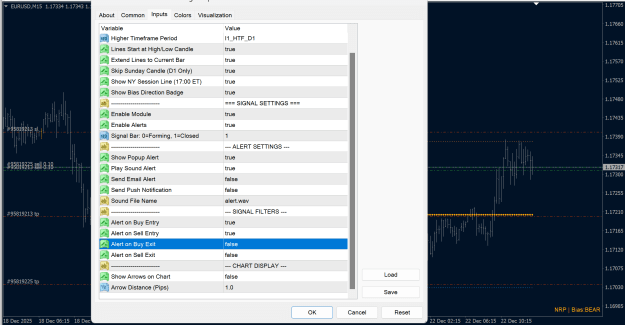
INPUT SETTINGS EXPLAINED
================================================================================
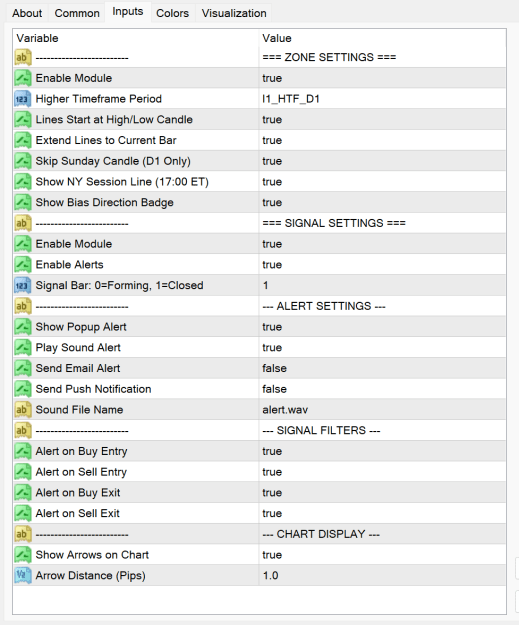
=== ZONE SETTINGS ===
HTF_Enable (default: true)
   Master switch for the zone filter module.
   When disabled, only the signal module operates.

HTF_Period (default: D1)
   Higher timeframe used for zone calculation.
   Options: M5, M15, M30, H1, H4, D1, W1, MN
   D1 recommended for intraday trading.

HTF_AnchorExtreme (default: true)
   When enabled, zone lines start from the exact candle where
   high/low occurred within the HTF bar.
   When disabled, lines start from HTF bar open time.

HTF_ExtendLines (default: true)
   Extends zone lines to the current bar.
   Disable for cleaner historical view.

HTF_SkipSunday (default: true)
   Ignores Sunday candles when calculating D1 zones.
   Relevant only when HTF_Period = D1.
   Prevents thin Sunday bars from distorting levels.

HTF_ShowVLine (default: true)
   Displays vertical line at NY session close (17:00 ET).
   Useful for identifying daily boundary.

HTF_ShowBadge (default: true)
   Shows bias direction badge in corner of chart.
   Displays: NRP | Bias:BULL / BEAR / NEUTRAL
   NRP = Non-Repainting confirmation.
--------------------------------------------------------------------------------
Attached Image (click to enlarge)
Inserted Code
--------------------------------------------------------------------------------
=== SIGNAL SETTINGS ===
Enable (default: true)
   Master switch for the signal module.
   When disabled, only zone levels display.

EnableAlerts (default: true)
   Master switch for all alert types.
   Must be ON for any alerts to trigger.

SignalBar (default: 1)
   Which bar triggers alerts.
   0 = Forming bar (may repaint)
   1 = Closed bar (confirmed, no repaint)
   Recommended: 1
--------------------------------------------------------------------------------
Attached Image (click to enlarge)
Inserted Code
--------------------------------------------------------------------------------
--- ALERT SETTINGS ---
AlertPopup (default: true)
   Shows MT4 popup alert window.

AlertSound (default: true)
   Plays audio alert.

AlertEmail (default: false)
   Sends email notification.
   Requires MT4 email configuration in Tools > Options > Email.

AlertPush (default: false)
   Sends push notification to mobile.
   Requires MT4 mobile app setup.

SoundFile (default: "alert.wav")
   Audio file for sound alerts.
   File must exist in MT4 Sounds folder.
--------------------------------------------------------------------------------
--- SIGNAL FILTERS ---
AlertEntryLong (default: true)
   Enable alerts for BUY entry signals.

AlertEntryShort (default: true)
   Enable alerts for SELL entry signals.

AlertExitLong (default: true)
   Enable alerts for BUY exit signals.

AlertExitShort (default: true)
   Enable alerts for SELL exit signals.
--------------------------------------------------------------------------------
Attached Image (click to enlarge)
Inserted Code
================================================================================
VISUAL ELEMENTS ON CHART
================================================================================
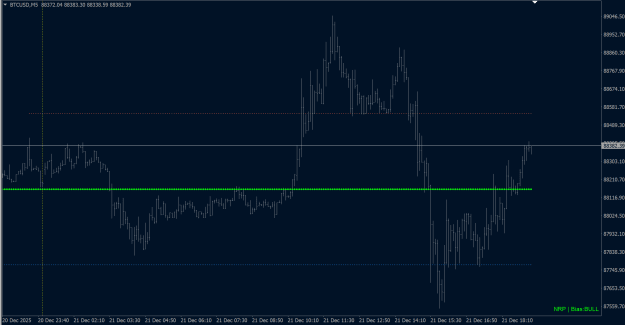
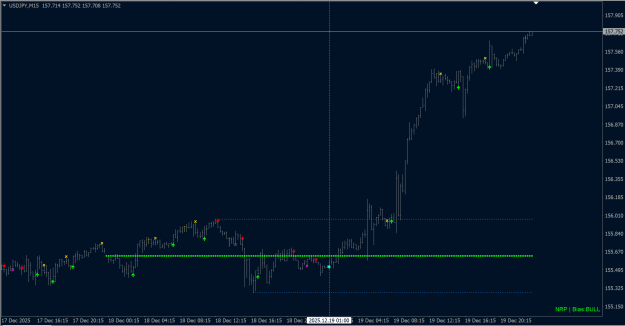
LINES:
   Yellow VLine   = NY session close marker

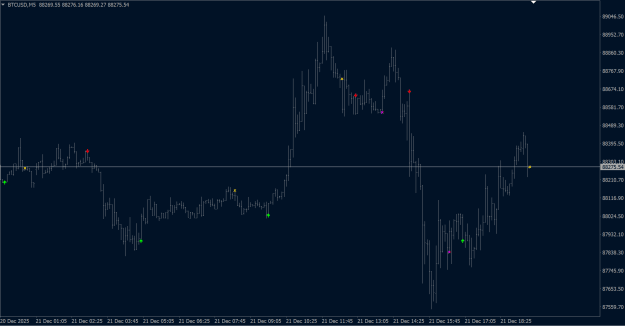
ARROWS:
   Green up arrow    = BUY entry signal
   Red down arrow    = SELL entry signal
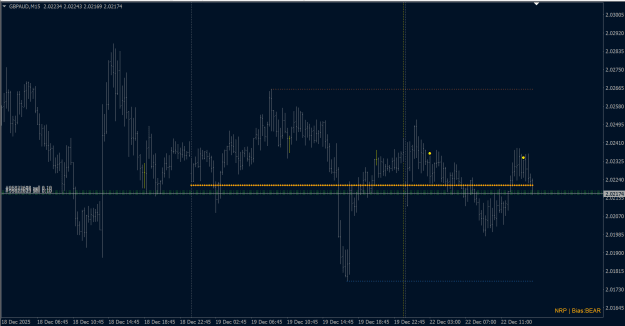
   Gold X            = Exit long position
   Magenta X         = Exit short position
   Aqua dot          = Combined BUY (zone + signal confirmed)
   Yellow dot        = Combined SELL (zone + signal confirmed)
BADGE (bottom-right corner):
   Shows current bias state: BULL / BEAR / NEUTRAL
   NRP prefix confirms non-repainting calculation

================================================================================
RECOMMENDED SETUP FOR BEGINNERS
================================================================================
1. Apply to M15 or M5 chart
2. Keep all defaults initially
3. Watch for Aqua/Yellow combined signals (highest confidence)
4. Set SignalBar = 1 to avoid repainting entries
5. Enable only AlertPopup and AlertSound initially
6. After familiarization, customize alert filters as needed
================================================================================
Attached Image (click to enlarge)
Inserted Code
================================================================================
IMPORTANT NOTES
================================================================================
- Chart timeframe must be LOWER than HTF_Period setting
- Example: If HTF_Period = D1, use M15, M5 or M1 (Setup Code is optimized for snipper entry on lower timeframe)
- First load may take a moment while MTF data synchronizes
- Badge shows NRP to confirm non-repainting bias calculation
- This Download is timelimited TRIAL
================================================================================
Attached File(s)

DOWNLOAD V1.0.0
Attached File(s)

 M5
M5