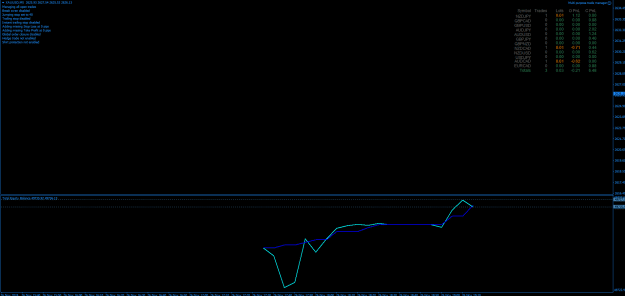
Hennis manual CS Scalp Big Screen v4
This high win strategy just became so much better!
1. One goes in your Profiles folder & the others into your Indicators folder.
2. Open trades normally, no longer from the scripts - just select Buy or Sell. Forget about SL & TP settings - it will be taken care of for you.
3. Watch in awe what this EA will do for you with my Presets applied to it.
4. This EA freezes everything if you tamper with it online. First remove it, make your changes and then put back on the screen. Else you'll have to restart Metatrader.
5. Only one instance of this EA on one unused page only. It will look after all your trades.
6. Do NOT trade against these two new indicators.
It just keeps on getting better & better.
Note 1: Credit for this AMAZING EA goes to Steve HopWood. (https://www.stevehopwoodforex.com/ph...wprofile&u=139) I just experimented with & applied the best settings to it for my my specific requirements
https://www.stevehopwoodforex.com/ph...php?p=516#p516
Note 2: Credit for these AMAZING new indicators goes to str8v4lu3 - I just added it to my strategy which makes it 1000% better.
https://www.forexfactory.com/thread/...1#post15068981
I will play more with this EA later & try to apply the reverse trade option for all runaway loosing trades. I've just managed to deposit 15 AUD into my trading account and what matters most for me now is to trade myself out of this God forsaken desert/rut that we find ourselves in. Thus, for quite a few days at least, I will be glued to my monitor and will not be able to experiment with any new ideas I might come up with.
This high win strategy just became so much better!
1. One goes in your Profiles folder & the others into your Indicators folder.
2. Open trades normally, no longer from the scripts - just select Buy or Sell. Forget about SL & TP settings - it will be taken care of for you.
3. Watch in awe what this EA will do for you with my Presets applied to it.
4. This EA freezes everything if you tamper with it online. First remove it, make your changes and then put back on the screen. Else you'll have to restart Metatrader.
5. Only one instance of this EA on one unused page only. It will look after all your trades.
6. Do NOT trade against these two new indicators.
It just keeps on getting better & better.
Note 1: Credit for this AMAZING EA goes to Steve HopWood. (https://www.stevehopwoodforex.com/ph...wprofile&u=139) I just experimented with & applied the best settings to it for my my specific requirements
https://www.stevehopwoodforex.com/ph...php?p=516#p516
Note 2: Credit for these AMAZING new indicators goes to str8v4lu3 - I just added it to my strategy which makes it 1000% better.
https://www.forexfactory.com/thread/...1#post15068981
I will play more with this EA later & try to apply the reverse trade option for all runaway loosing trades. I've just managed to deposit 15 AUD into my trading account and what matters most for me now is to trade myself out of this God forsaken desert/rut that we find ourselves in. Thus, for quite a few days at least, I will be glued to my monitor and will not be able to experiment with any new ideas I might come up with.
Attached Image (click to enlarge)

Attached File(s)