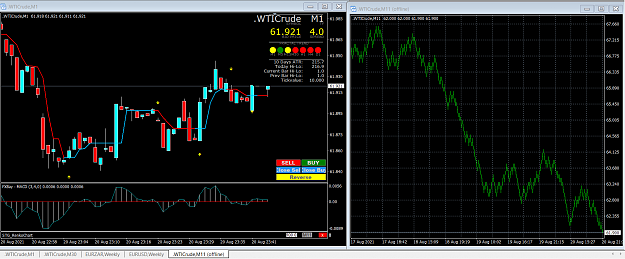
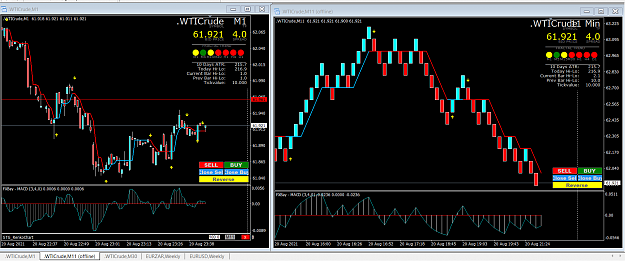
sorry but the renko i download on page 1 is not working anymore it request for an updated when i plot it on the chart
Ignored
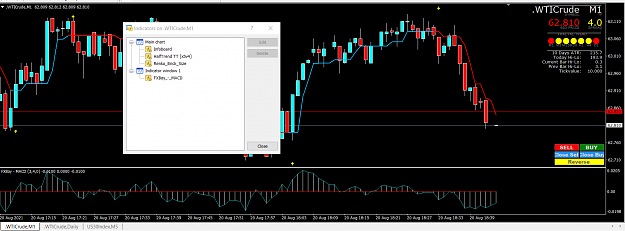
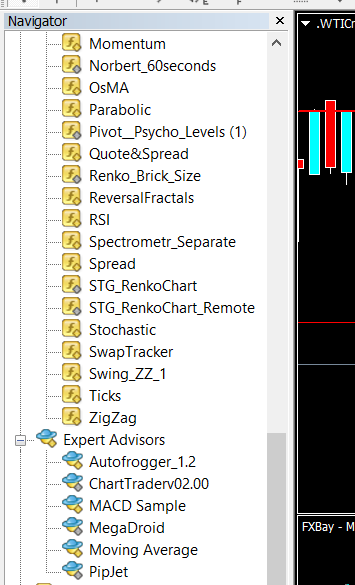
Please try the old versions they work fine. The STG_RenkoChart is to be put on your source chart while the STG_RenkoChart_Remote is to be put on the Renko chart. By changing the brick size on the STG_RenkoChart_Remote it will automatically change the brick size of the STG_RenkoChart. This is very useful if you want to try different brick size without having to open new charts.
So this is a reversal trade... even so I hate them. Indicators HMA 81 ,HMA 9, Envelop bands, OsMA, TDI Why reversal - Strong uptrend during the day, touch the 50 line, 9 HMA entering back into the 81, end of London coming up, risking 60 USD and could make 190 USD {image} And on the 1 MIN it is not moving.... bastard {image} And the result was a loss...... {image}
Ignored
good morning
I saw in some posts that you trade without stop loss .. I'm looking for knowledge exchange, because I trade and I wanted to know if you have any right strategy to share.
Choosing the right brick size for currency trading is quite easy but it's not exactly the same for CFDs. Here are examples for the DOW30. First chart Renko $5 bricks, second chart Renko $10 bricks and the last chart Renko $20 bricks. It's only a matter of choice and risk factors {image} {image} {image}
Ignored
How does one change the brick size? I've downloaded your files and template, but can't figure out where I can choose the brick size. Also, in your info you state it seems to be best to have bricks without wicks. What does a person do to get wickless bricks? thanks for all you do!
{quote} Please try the old versions they work fine. The STG_RenkoChart is to be put on your source chart while the STG_RenkoChart_Remote is to be put on the Renko chart. By changing the brick size on the STG_RenkoChart_Remote it will automatically change the brick size of the STG_RenkoChart. This is very useful if you want to try different brick size without having to open new charts. {file} {file}
Ignored
Please forgive my ignorance, but are the 2 files attached to this message placed in the indicators folder in mt4? Again, thank-you.
{quote} How does one change the brick size? I've downloaded your files and template, but can't figure out where I can choose the brick size. Also, in your info you state it seems to be best to have bricks without wicks. What does a person do to get wickless bricks? thanks for all you do!
Ignored
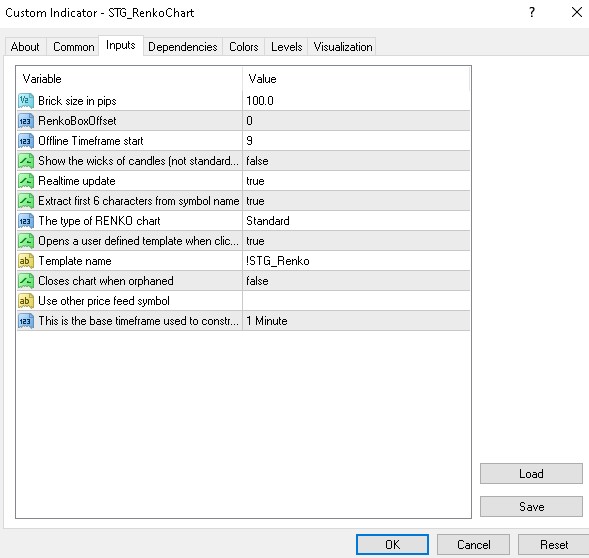
Brick size is the first variable in the STG_RenkoChart indicator; wicks is the fourth variable. To get a 10 pips Renko chart you have to use 10 pips for currency pairs and 100 pips for CFDs such as the one I use for WTI.
{quote} Brick size is the first variable in the STG_RenkoChart indicator; wicks is the fourth variable. To get a 10 pips Renko chart you have to use 10 pips for currency pairs and 100 pips for CFDs such as the one I use for WTI. {image}
Ignored
I don't know what I'm doing wrong. I watched the video of the guy setting up RENKO charts you posted, but I don't understand the term "source chart" & offline chart", or how one gets them. This is what my 1 min RENKO 10 point chart looks like; nothing like yours.
drbob8000Go to FILE (top Menu) and click File, find Open Offline, click and find currency pair and the M2 and open M2 Chart and then add all Indicators or Template.
drbob8000 Go to FILE (top Menu) and click File, find Open Offline, click and find currency pair and the M2 and open M2 Chart and then add all Indicators or Template.
Ignored
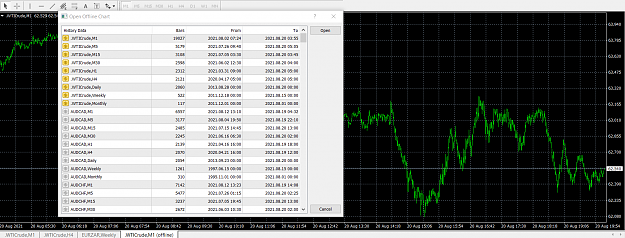
When I go to file and click open offline, this is what I see. What do you mean, "Find M2 and open M2 chart"? I've scrolled down through all the cfd's & currencies available in this window and don't see any M2. Thank you for your help.
{quote} When I go to file and click open offline, this is what I see. What do you mean, "Find M2 and open M2 chart"? I've scrolled down through all the cfd's & currencies available in this window and don't see any M2. Thank you for your help. {image}
Ignored
Google and youtube have step by step instructions on how to set up renko charts.
{quote} I don't know what I'm doing wrong. I watched the video of the guy setting up RENKO charts you posted, but I don't understand the term "source chart" & offline chart", or how one gets them. This is what my 1 min RENKO 10 point chart looks like; nothing like yours. {image}
Ignored
The source chart is a 1 minute chart (M1) where you put the STG_RenkoChart indicator. After you have filled the input tab (post #585 above) and Allow DLL Imports (first picture) just click Ok and the offline chart will be created and the STG_RenkoChart indicator will appear at the bottom of the M1 chart and will show the number of pips per Renko brick and the name of the offline chart (second picture). Since the "Offline Timeframe Start" on my input tab is 9 (post #585 above) the name of the offline chart is one digit more M10 (third picture). The command to open the offline chart is "File" "Open Offline Chart" and you will see the chart name that was indicated at the bottom of the source chart.
FF put the pictures in the wrong order but you can easily find the right ones.
{quote} The source chart is a 1 minute chart (M1) where you put the STG_RenkoChart indicator. After you have filled the input tab (post #585 above) and Allow DLL Imports (first picture) just click Ok and the offline chart will be created and the STG_RenkoChart indicator will appear at the bottom of the M1 chart and will show the number of pips per Renko brick and the name of the offline chart (second picture). Since the "Offline Timeframe Start" on my input tab is 9 (post #585 above) the name of the offline chart is one digit more M10 (third picture)....
Ignored
Thank you for your reply. I just now have had a chance to try this, and this is what I have, after downloading and opening your template and putting the settings as in post #585. What am I missing? I'm so ignorant. :-(
{quote} The source chart is a 1 minute chart (M1) where you put the STG_RenkoChart indicator. After you have filled the input tab (post #585 above) and Allow DLL Imports (first picture) just click Ok and the offline chart will be created and the STG_RenkoChart indicator will appear at the bottom of the M1 chart and will show the number of pips per Renko brick and the name of the offline chart (second picture). Since the "Offline Timeframe Start" on my input tab is 9 (post #585 above) the name of the offline chart is one digit more M10 (third picture)....
Ignored
Woo hoo! Finally understand I should be looking at the offline chart, and load your template onto it, correct?
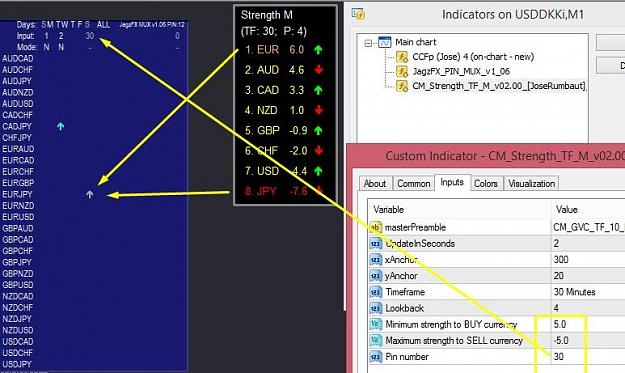
{quote} Hello Jarfx05 I got CMS Pin, please contact me if possible {image}
Ignored
Hello
This indicator is great because it shows the current market situation.
If I had to trade looking at this indicator, I would not bet a cent.
A good helper, that's all.
{quote} You are entirely correct. To make things easier the M1 chart should only have the STG_RenkoChart indicator and the offline chart needs the template.
Ignored
Hi
Your arrows look nice on the chart. what you do not say is that only after 3 bricks have some value.
What is pretty in the pictures of real trade is worthless.
Sorry Winnetou but that's the truth. that is people who will want to copy your system of revenge, wait 3 bricks or the arrows will disappear.
{quote} Hi Your arrows look nice on the chart. what you do not say is that only after 3 bricks have some value. What is pretty in the pictures of real trade is worthless. Sorry Winnetou but that's the truth. that is people who will want to copy your system of revenge, wait 3 bricks or the arrows will disappear. regard
Ignored
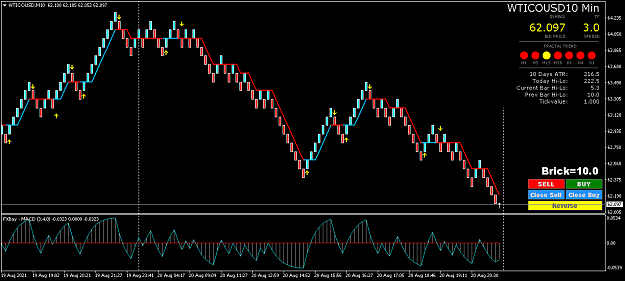
I have never seen arrow disappearing after 3 bricks but it's possible with 2. Trading only with arrows is totally useless this is why the trade is triggered on the brick following the brick with the arrow and only if it's the same color as the brick with the arrow and the FxBay MACD points in the same direction as the arrow.



 Renko trading using proven strategy


 {image} {image} {image}