

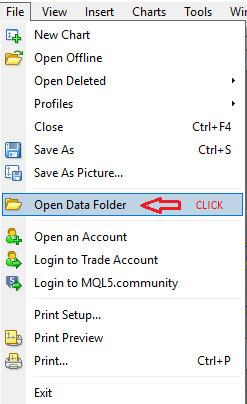
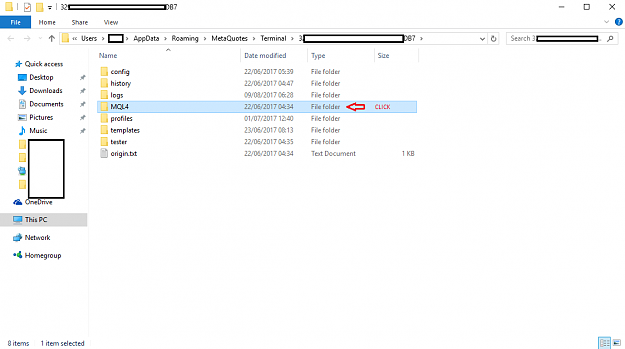
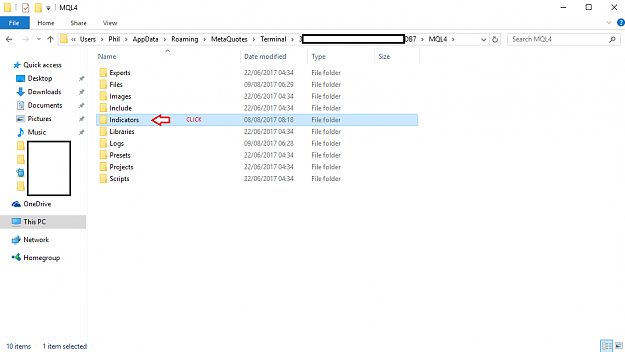
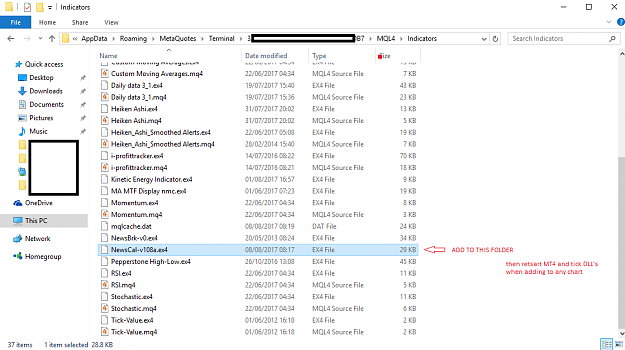
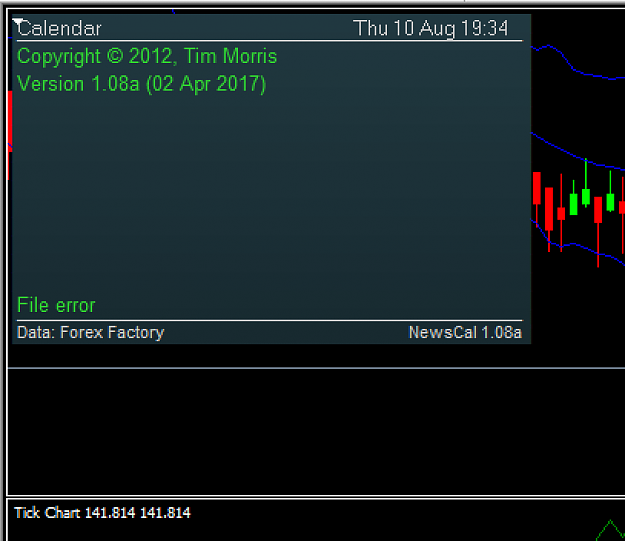
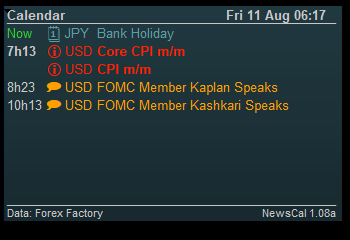
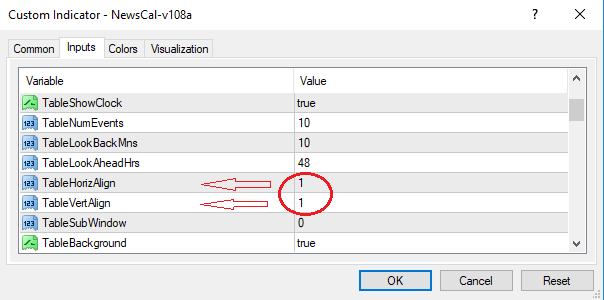
Dislikedclose down MT4 platform and restart it. if you have any previous or other calendar versions installed , they must be removed as there is a conflict and the platform must be restarted. if this does not work.... the file error means it is tech tech problem with MT4 and calendar, try deleting all calendars then restarting MT4, then download/install into mql4/indicator file, then restart mt4 with the settings above, most common error is not ticking the DLL box and/or not restarting the platform.Ignored

- #622
- Edited 2:06am Aug 9, 2017 1:46am | Edited 2:06am
- Joined Jul 2011 | Status: an ant working the structure | 3,248 Posts

-be careful about what you allow to be put in your mind-


- #628
- Edited 11:18pm Aug 10, 2017 7:25am | Edited 11:18pm
- Joined Dec 2011 | Status: Trader | 1,798 Posts

Have a nice day
- #631
- Aug 10, 2017 10:20pm Aug 10, 2017 10:20pm
- Joined Jul 2011 | Status: an ant working the structure | 3,248 Posts
-be careful about what you allow to be put in your mind-
- #634
- Aug 13, 2017 11:14pm Aug 13, 2017 11:14pm
- Joined May 2007 | Status: MT4/MT5 EAs/Indicators/Alerts coder | 6,542 Posts

MT4/MT5 EAs/Indicators/Alerts coder
- #639
- Sep 25, 2017 5:46am Sep 25, 2017 5:46am
- Joined Jul 2011 | Status: an ant working the structure | 3,248 Posts
-be careful about what you allow to be put in your mind-
