



Hello traders!
Years ago, when I first started learning Price Action, finding a functional trading simulator was a struggle. Demo accounts run in real-time (too slow). Free simulators are heavily restricted. Paid versions are expensive, and cracked ones break after every MT5 update. Each had its pros, but the inconveniences were overwhelming.
To solve this, I coded the EA19 Tanin Simulator Pro. It packs the capabilities of premium software but comes with an "ultra-premium" feature: It is completely FREE. This is my gift to the community—a tool to help new traders practice safely before stepping into the real market.
 Here is your Lifetime License Key: [ EA19_99999D_TANINCODER_597059738002 ]
 IMPORTANT - HOW TO ACTIVATE:
1. Open MetaTrader 5.
2. Go to Tools -> Options -> Expert Advisors.
3. Check "Allow WebRequest for listed URL".
4. Add these 2 URLs:
- https://script.google.com
- https://script.googleusercontent.com
5. Click OK, load the Set File, and restart the bot.
 CORE FEATURES:
Happy practicing & Trade Safe! — Tanin Coder


Years ago, when I first started learning Price Action, finding a functional trading simulator was a struggle. Demo accounts run in real-time (too slow). Free simulators are heavily restricted. Paid versions are expensive, and cracked ones break after every MT5 update. Each had its pros, but the inconveniences were overwhelming.
To solve this, I coded the EA19 Tanin Simulator Pro. It packs the capabilities of premium software but comes with an "ultra-premium" feature: It is completely FREE. This is my gift to the community—a tool to help new traders practice safely before stepping into the real market.
Here is your Lifetime License Key: [ EA19_99999D_TANINCODER_597059738002 ] IMPORTANT - HOW TO ACTIVATE:1. Open MetaTrader 5.
2. Go to Tools -> Options -> Expert Advisors.
3. Check "Allow WebRequest for listed URL".
4. Add these 2 URLs:
- https://script.google.com
- https://script.googleusercontent.com
5. Click OK, load the Set File, and restart the bot.
CORE FEATURES:- Interactive UI: A C# powered panel for seamless Trade Management. You can partial close (1/2) and edit SL/TP directly from the grid.
- Smart Drag & Drop: Pull the Entry line to instantly generate an SL or TP line. Select any line and hit 'Delete' to remove it.
- Realistic Margin Engine: Accurately simulates leverage, required margin, and triggers Stop Outs (Margin Calls) if you over-leverage.
- Market Context: Displays upcoming News (High/Med/Low impact) and Trading Sessions directly on the chart.
- State Management: Save your session, load it later, or export a detailed HTML Statement.
 INSTALLATION GUIDE:
- Since this EA uses a custom C# interface, you MUST allow DLLs. Go to Tools -> Options -> Expert Advisors -> Check "Allow DLL imports".
- Load History: Open an M1 chart, disable Auto-Scroll, and hold the 'Home' key to download your broker's historical data.
- Attach the EA, input your starting balance/leverage, and hit Play!
_________________________________________________
Watch the video tutorial here:
Inserted Video
Happy practicing & Trade Safe! — Tanin Coder
Attached Image (click to enlarge)
Attached Image (click to enlarge)
Attached Image (click to enlarge)
Attached Image(s) (click to enlarge)


Attached File(s)

Tanin Coder Founder | 100% FREE Prop Firm EAs | Join Telegram!
 TANIN ICHIMOKU CLOUD (EA20): The Ultimate Trend Rider & Prop Firm Shield
 See it in action:
  MANDATORY: ALLOW WEBREQUEST TO ACTIVATE THE BOT
 DOWNLOAD OPTIMIZED SETTING FILES:
 WHY THIS EA IS DIFFERENT?
 KEY FEATURES:
 PERFORMANCE HIGHLIGHTS:
 AUTHOR'S NOTE: Developed by Tanin Coder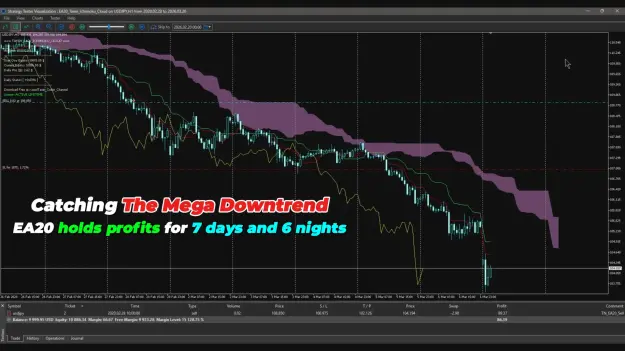


 CORE STRATEGY LOGIC:
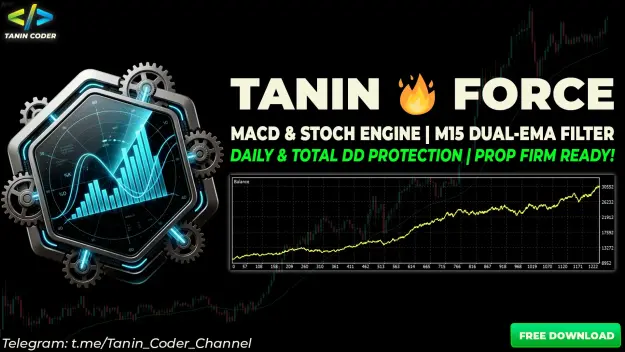
 PROP FIRM SHIELD: This EA is built with Prop Firm challengers in mind. It includes a strict Max Daily Drawdown % Input. If your equity drops below this percentage, the EA will instantly invoke a CloseAllPositions() command to force close all trades and stop trading for the rest of the day, saving your funded account from violation.




 DOWNLOAD FREE UTILITY HERE:


