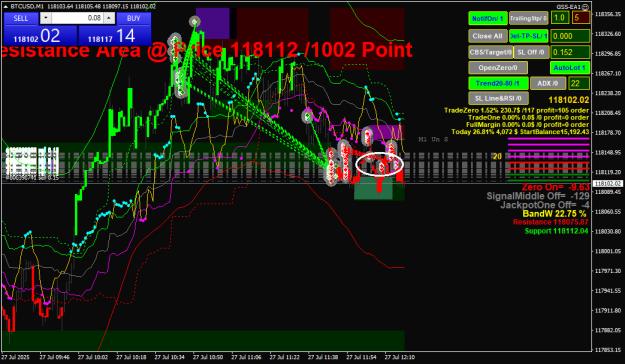
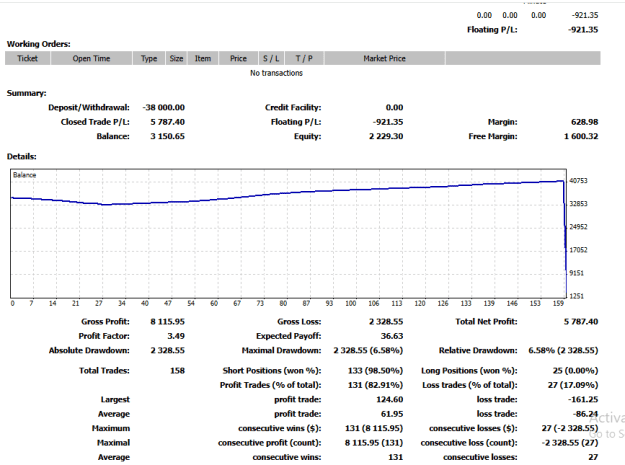
Only for those curious about the GSS system.
This is manual trading with the help of EA.
Used 2 Monitor Display With M1 TimeFrame only
TF M1 ONLY ,other than TF M1 it will definitely be an error
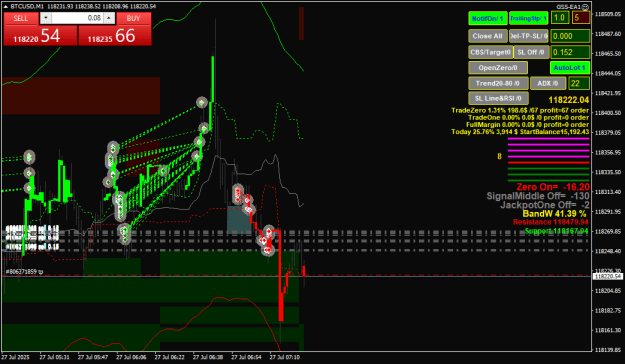
First Monitor, to see the main trend by zooming out the chart
Use only AnoIchiCloud indicator, enable all buttons
You can probably draw conclusions about the direction of the major trend from here.
Leave the first monitor as it is, don't change the size of the chart

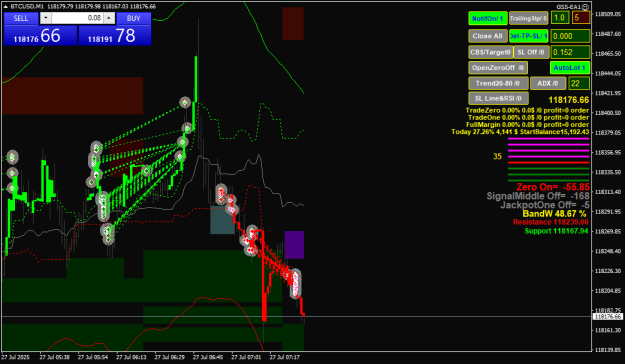
Use the 2nd monitor for details and trading
Load AnoIchiIndicator and GSS-EA1 to chart
you can turn on and off the indicator button to analyze 
If you've already made a decision, place a single order, either buy or sell.
You can do this through OneClickTrading

Once there is an open order.... you can duplicate the order by activating the Openzero button

Now we try to activate trailing stop 1 spread

Now, check the stop-loss value before activating it.
This button is combined with the 2 different RSI view

if it is sideway, usually the buy stop loss and sell stop loss are close together
SideWay BandW=0-22%
ZeroSignal BandW=22-45%
Middlesignal BandW=45-85%
JackPot Bandw more than 85%
This is just information about signal strength analysis.
It all comes down to your decision as a trader.
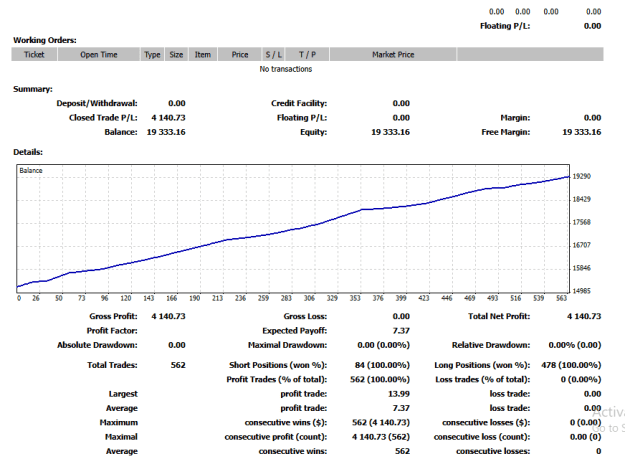
This is trading with a gambling system on M1, so you must have a concept and expertise in when to close orders.
Ideally, for profit... close, either using a trailing stop or the close all button.
or via the CBS/Target button

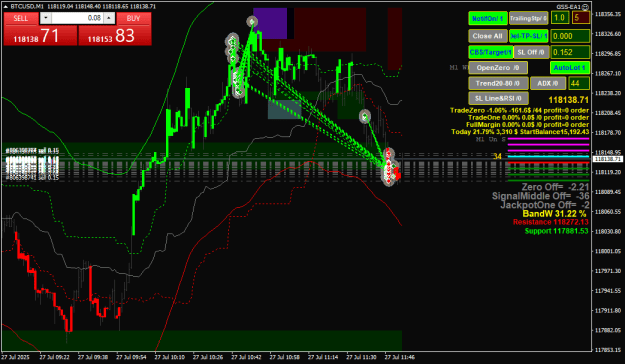
Update Indicator AnoIchiCloud
Tidying up the RSI, Trend20-80, and ADX displays
Adding Guppy

No template needed
simply add the AnoIchiCloud indicator and GSS-EA1 to the chart.
You should refresh the chart frequently,
and occasionally close the chart and open a new chart on M1, then refresh the chart.
remember,
don't be greedy,
don't be addicted
be patient
keep learning
Good Luck
This is manual trading with the help of EA.
Used 2 Monitor Display With M1 TimeFrame only
TF M1 ONLY ,other than TF M1 it will definitely be an error
First Monitor, to see the main trend by zooming out the chart
Use only AnoIchiCloud indicator, enable all buttons
You can probably draw conclusions about the direction of the major trend from here.
Leave the first monitor as it is, don't change the size of the chart
Attached Image (click to enlarge)
Use the 2nd monitor for details and trading
Load AnoIchiIndicator and GSS-EA1 to chart
you can turn on and off the indicator button to analyze
Attached Image (click to enlarge)
If you've already made a decision, place a single order, either buy or sell.
You can do this through OneClickTrading
Attached Image (click to enlarge)
Once there is an open order.... you can duplicate the order by activating the Openzero button
Attached Image (click to enlarge)
Now we try to activate trailing stop 1 spread
Attached Image (click to enlarge)
Now, check the stop-loss value before activating it.
This button is combined with the 2 different RSI view
Attached Image (click to enlarge)
if it is sideway, usually the buy stop loss and sell stop loss are close together
SideWay BandW=0-22%
ZeroSignal BandW=22-45%
Middlesignal BandW=45-85%
JackPot Bandw more than 85%
This is just information about signal strength analysis.
It all comes down to your decision as a trader.
This is trading with a gambling system on M1, so you must have a concept and expertise in when to close orders.
Ideally, for profit... close, either using a trailing stop or the close all button.
or via the CBS/Target button
Attached Image (click to enlarge)
Update Indicator AnoIchiCloud
Tidying up the RSI, Trend20-80, and ADX displays
Adding Guppy
Attached Image (click to enlarge)
No template needed
simply add the AnoIchiCloud indicator and GSS-EA1 to the chart.
You should refresh the chart frequently,
and occasionally close the chart and open a new chart on M1, then refresh the chart.
remember,
don't be greedy,
don't be addicted
be patient
keep learning
Good Luck