Download MetaTrader 4 for All Devices
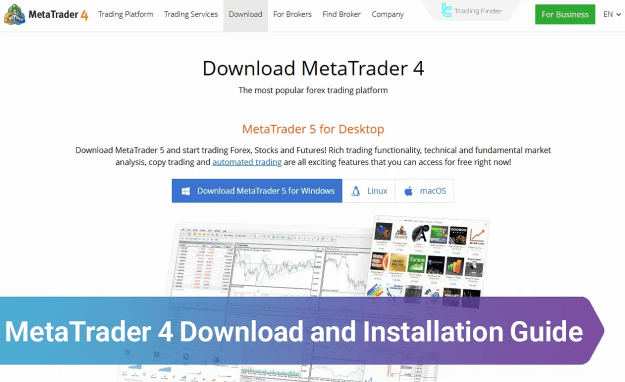
- Download MetaTrader 4 for Windows
- Download MetaTrader 4 for Android
- Download MetaTrader 4 for iOS
- Download MetaTrader 4 for macOS
- MT4 Download and Installation Guide
- Download and Install MetaTrader 4 for Desktop and Mobile Devices
Download and Install MetaTrader 4 for Desktop
Follow the instructions below to install MetaTrader 4 on your preferred desktop operating system.
Installing MetaTrader 4 on Windows
To install MetaTrader 4 on Windows and access its full functionality including custom indicators and Expert Advisors, proceed with the following steps:
- Visit the official MetaTrader website and click the Download MetaTrader 4 for Windows button
- Open the downloaded .exe file
- In the setup window, click Next to begin the installation
- Wait for the installation to complete
- Once installed, launch the MetaTrader 4 platform
Installing MetaTrader 4 on macOS
To install MetaTrader 4 on macOS, follow these detailed steps:
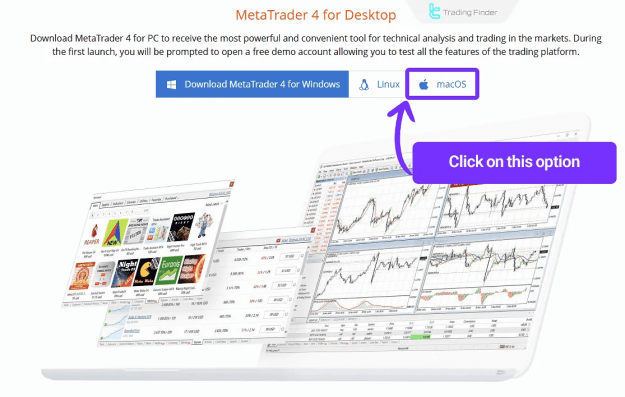
- Navigate to the official MetaTrader website and click Download MetaTrader 4 for macOS
- Open the downloaded file and click Install
- In the installer, click Continue to proceed
- Click Continue again in the following step
- Read and agree to the terms and conditions by clicking Agree
- Allow the installation process to finish
- Launch MetaTrader 4 upon completion
Download and Install MetaTrader 4 for Mobile Devices
MetaTrader 4 is fully supported on mobile platforms, allowing traders to access global markets anytime and anywhere. Below are the steps to download and install MT4 on Android and iOS devices.
MetaTrader 4 for Android
To install MetaTrader 4 on Android devices:
- Open the Google Play Store
- Search for MetaTrader 4
- Tap the Install button to begin downloading and installation
- Once installed, open the app and log in with your trading credentials
MetaTrader 4 for iOS
To install MetaTrader 4 on iOS devices:
- Open the App Store on your iPhone or iPad
- Search for MetaTrader 4
- Tap on the correct app in the search results
- Click Install to begin the installation
- Open the application once the installation is complete
Conclusion
This guide has outlined the complete process for downloading and installing MetaTrader 4 across various platforms including Windows, macOS, Android, and iOS. Each version of the MT4 platform can be installed by following the appropriate steps listed above.
For more tutorials and educational resources, visit our MetaTrader 4 training section on the website.