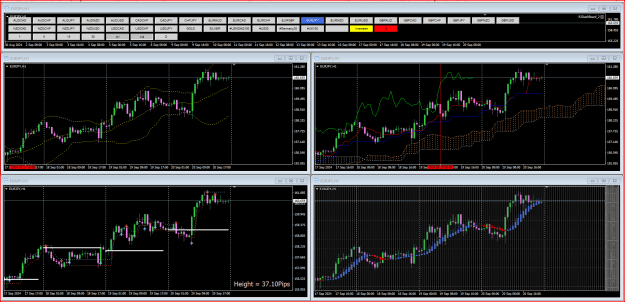
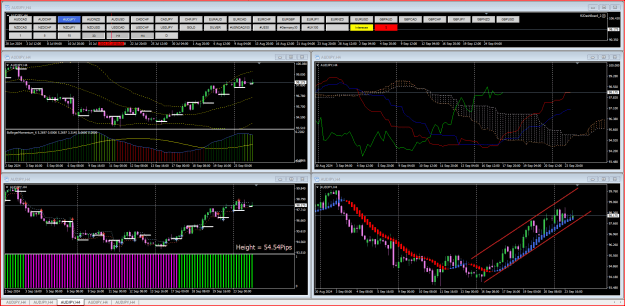
I found this EA some time ago. You could put it on a chart and using the menu to change pair and timeframe easily on the chart. VERY usefull and I use it a lot. I believe it was CJA that made the version that most people use.
I changed a couple of lines in the EA and now you can put the EA in one chart and when you click the menu, it will change ALL the pairs on the screen. This way you can have several charts with different setup to give you a more overall view on the status of the pair.
Might be nice before you take a trade. Another way to use it is to compare different strategies to see which one suits your trading style.
How to:
- Open MT4.
- Put 5 charts on the screen.
- Put the EA in one of the charts. Place it on the top of the screen like in the picture.
Now this EA will change pair and/or timeframe on all charts.
The blue colour shows the pair that is active. Green and red colours shows pairs that you own long or short. So it is easy to follow the pairs that you have invested in. Yellow and red - dont ask, they are not in use. Another thing is, that whether the buttons looks like pushed in or out is of no function either. I have to code that some time.
Note, that when you make a click, it seems slow - it IS slow. The reason is, that MT4 reloads all data in all the charts when changing anything. This is not avoidable - it is how MT4 works. Live with it.
So just for the fun, but at bit usefull also - if you are an indicator freak like me.
Update: EA has an error. It is removed until I get it fixed.