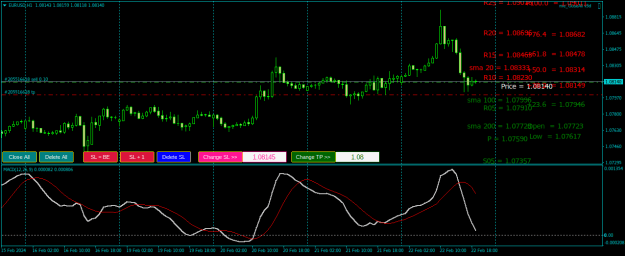
any can edit this code to have an symbol Appendix input please? its a lot size calculator indicator for MT5.{file}
Ignored
This code doesn't use any appendix.
It just calculates for the chart _Symbol it is working on.
And the chart symbol is always what it is.
If it has a suffix or a prefix, then that's what the _Symbol is.
.ex4/.ex5 files can't be fixed or modified / I'm not a coder!
{quote} Shiiish, you're right. I was fixing that bug and left one thing undone after that! New UPDATE! {file} Unfortunately, I am not able to update the previous posts!
Ignored
thanks a lot Master, your effort is highly appreciated
{quote} This code doesn't use any appendix. It just calculates for the chart _Symbol it is working on. And the chart symbol is always what it is. If it has a suffix or a prefix, then that's what the _Symbol is.
Ignored
Please put here the list of good indicators that don't repaint
{quote} Please put here the list of good indicators that don't repaint
Ignored
Please define exactly what you mean by " don't repaint ".
By my definition even the chart repaints - on the current bar.
Thus, any indicator which does not "repaint" the signal on the first closed bar is a good indicator that doesn't repaint.
However, the fact that the indicator doesn't repaint on the first closed bar does not mean that the signal is good.
The signal can be negated immediatelly on the next bar, or not.
And that's just the begining of the story.
Because we never can know how far the price will go either way.
And that's where personal expectations come into the game and all the associated questions of where to put the Stop Loss, and where to Take the Profit...
There is absolutely no indicator which can know this.
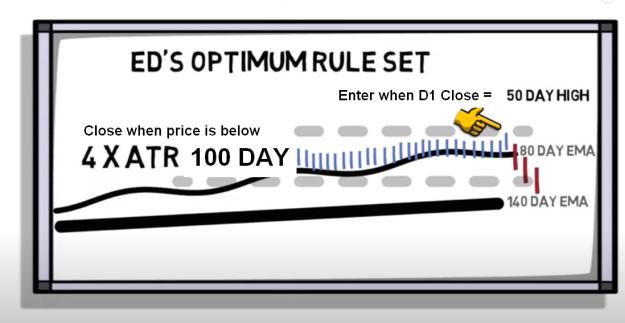
It's said that one known trader turned $5000 into $15,000,000 using this:
Attached Image (click to enlarge)
.ex4/.ex5 files can't be fixed or modified / I'm not a coder!
{quote} This code doesn't use any appendix. It just calculates for the chart _Symbol it is working on. And the chart symbol is always what it is. If it has a suffix or a prefix, then that's what the _Symbol is.
Ignored
you're right. the broker i use has a "." appendix , example "EURUSD." i thought that's why this indicator doesn't calculate the lot size. but as i tried on other broker it still doesn't work! can it be fixed to show the lot size? it shows a zero lot size for JPY pairs and wrong size for other pais as well.
{quote} you're right. the broker i use has a "." appendix , example "EURUSD." i thought that's why this indicator doesn't calculate the lot size. but as i tried on other broker it still doesn't work! can it be fixed to show the lot size? it shows a zero lot size for JPY pairs and wrong size for other pais as well.
Master Jeanlouie, please i beg you to help on this, your indicator is useful but i must load in different charts to get full function i want to have engulf backward and engulf forward, i cant use both on one chart, please help to add unique ID in the indicator does the attach image mean engulf backward? it wrote false {file} {image}
Ignored
Just give them different pattern and positions.
Candle pattern scanner v1.5
- multi loading with different settings
Patterns:
- 2 opposite, 2nd is HH or LL
- 2 same, 2nd is HH/LL & closes back inside
- 3, 2 same, 2nd is HH/LL, 3rd is opp & closes behind 2nd mid price
- Engulf 1 candle forward (dir is engulf candle)
- Engulf 2 candles forward (dir is engulf candle)
- Custom false engulf v1(backward): (buy): bull, bear, bull, (O3&O2)<C1, O3>C2, C3<C1
- Custom false engulf v2(backward): (buy): bull, bear, bear, either, C4<C1, O3>C2, O4>C3
HI, PLS can any of the ELITE coders here help me with a simple TP MACD mt5 EA Just to ONLY CLOSE an open trade when they is a CHANGE IN DIRECTION in the MACD MAIN LINE. i actually know nothing about codes and tried all those EA generators they are just full of bugs!... BESTTRADEREVER# SAMALIN# INVISIBLE#......ANYBODY... or if any have the EA just help with it... A VERY HUGE THANK YOU!!
Ignored
pls master BestTraderEv, its just reminder. i know you have a lot on your hands already, thank you master!
{quote} Please define exactly what you mean by " don't repaint ". By my definition even the chart repaints - on the current bar. Thus, any indicator which does not "repaint" the signal on the first closed bar is a good indicator that doesn't repaint. However, the fact that the indicator doesn't repaint on the first closed bar does not mean that the signal is good. The signal can be negated immediatelly on the next bar, or not. And that's just the begining of the story. Because we never can know how far the price will go either way. And that's where...
Ignored
Please put the indicator here so as to be downloaded
{quote} enum TakeMode { ENUM_PERCENT, //Close Profit in Percentage ENUM_CURRENCY, //Close Profit in Money ENUM_LOSS1, //Close Loss in Money ENUM_LOSS2, //Close Loss in Percentage ENUM_LOSS_PROFIT, // Close Loss or Profit in Money ENUM_LOSS_PROFIT_PCT // Close Loss or Profit in Percentage }; // OnTick() //---- double balance=AccountInfoDouble(ACCOUNT_BALANCE); double profit=AccountInfoDouble(ACCOUNT_PROFIT); //---- if(!Stop) switch(LMode) { case ENUM_PERCENT : { double TakeRatio=(100*profit/balance)*(1); if(TakeRatio >= Percentage) { Stop=true; }...
Ignored
ok great explanation. Could you kindly convert these useful scripts into mt5? Thanks in advance
{quote} Just give them different pattern and positions. Candle pattern scanner v1.5 - multi loading with different settings Patterns: - 2 opposite, 2nd is HH or LL - 2 same, 2nd is HH/LL & closes back inside - 3, 2 same, 2nd is HH/LL, 3rd is opp & closes behind 2nd mid price - Engulf 1 candle forward (dir is engulf candle) - Engulf 2 candles forward (dir is engulf candle) - Custom false engulf v1(backward): (buy): bull, bear, bull, (O3&O2)<C1, O3>C2, C3<C1 - Custom false engulf v2(backward): (buy): bull, bear, bear, either, C4<C1, O3>C2, O4>C3 {image}...
Ignored
Master thanks so much, please which setting works with engulf backwards? am trying to figure it out, the dashboard version quickly change signal and visually difficult
to trace the signal, Am sorry i will patiently wait anytime you desire to make this version (Engulf Candle_ backward_ forward V1.1 MTF)
{quote} Master thanks so much, please which setting works with engulf backwards? am trying to figure it out {image}
Ignored
Hello sir, i'm a student at the financial markets and applied economy and i'm so bad at Python programming, but pretty good in interpretation of financial data , But lately i was interested in having a code that may help me with my trading. This indicator that you have shared is so interesting, can you give me an insight on how can i have it ? or if there is any other one here that may help me with that. Thank you


 I will code your EAs and Indicators for no charge