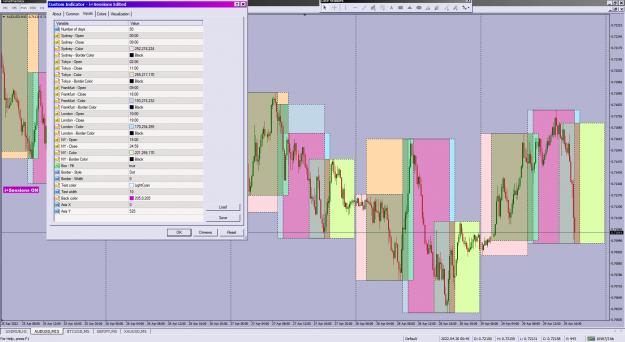
Disliked{quote} Hi T4Trade . your ploblem is not small pip but this indicator don't show box if you setting " EndTime > Broker time " same this picture if you set " EndTime > 12:00 " this indicator don't show box . {image}Ignored
I will code your pivot EAs for no charge 28 replies
I will code your scalping EAs for no charge 163 replies
Oanda MT4 - Indicators and EAs not showing 2 replies
EAs and indicators relating to moutaki... 22 replies
InterbankFX has loaded its MT4 platform with custom EAs, indicators and scripts 1 reply
Disliked{quote} Hi T4Trade . your ploblem is not small pip but this indicator don't show box if you setting " EndTime > Broker time " same this picture if you set " EndTime > 12:00 " this indicator don't show box . {image}Ignored
Disliked{quote} ------------------- {quote} "QQE of rsi(oma)" Try testing/using this,more extended,latest and reliable in a lot of cases,comparing to the one you posted (old enough) the lowest sw in example picture PS : though replied in response the quoted posts but stuff is not only for the person in topic but it is really really a very good tool to be tested and exercised in variety of ways by every next trader and practitioner for better possible results {image}{image} {image} {file}Ignored
Disliked{quote} This Need to have higher timeframe feature for the OB . Plus do you have mt5 version ?Ignored
Disliked{quote} There are alerts built in at each band. If you are just using the upper most band and lowest most bands, why not just change all the atr multipliers in the input parameters to the same value, then you will just get one alert which is when price penetrates that band...Alernatively, you can use this one which has only one upper and one lower band instead of multiple bands: https://forex-station.com/attach/file/3329218 {image} {image}Ignored
Disliked{quote} Try: smLazyTMA HuskyBands_v2.2[Alerts] Select alert on Level 4, it relates to your request URL for Download: https://www.forexfactory.com/thread/...6#post13287176 Good DayIgnored
Disliked{quote} I need to sit the lesson with adding a button again... This V3.3.3 version hides the indicator but when I click on Button again, it does not redraw the indi result on chart, only when I change TF. So the button can hide, but not recreate the indi result, if you dont change TF ... It must be something in init() and deinit(), but I could not find out what part is missing ... which part does the recreate job??? Each time I change TF the code does a deinit() then init(), start()...that is why it brings back to original state: Generate what the...Ignored
Disliked{quote} thanks for your kindness sir eess,.. . I really appreciate it... because i'm still a layman, so i apply the original settings of the indicator,...maybe it's possible to apply all atr diggers to the same input value, so it only shows 3 lines, and if applied then it should remains the same position as the line position in the default setting... And sorry and respect, for now I like this tma indicator because the line position is in accordance with my strategy... Kind regards YunisIgnored
Disliked{quote} I saw that forex station had done the button also for this version of source code (3.3.3) released in ex4 version recently, if you want, you can just use their button version. But regarding your code, I only have time for a quick look, in the start function, you didn't port the changes over. And with regards to version 2.3.3 vs v3.3.3, I have a quick comparison, the logic for determining the areas of interest to draw the rectangles remains the same, but v3.3.3 added in the arrows and the big trend label on the bottom left corner of the chart....Ignored
Disliked{quote} I have not seen the indi in forex station. I will try. When you have time to re-code this V3.3.3 with button, pls put few more code comments in your new code so I could follow to understand why certain coding part is needed, or why it is removed, in regards to the button function. ThanksIgnored
Disliked{quote} Sorry but as I have mentioned in my previous post that I will not be keen to make any more changes since someone else has implemented everything.Ignored
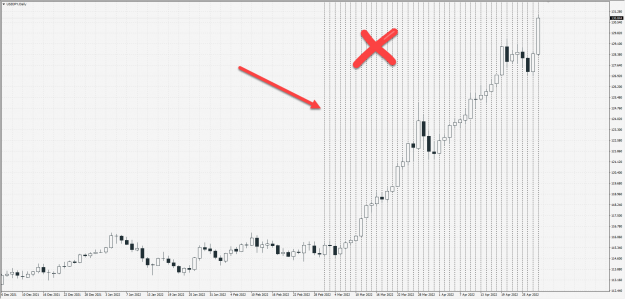
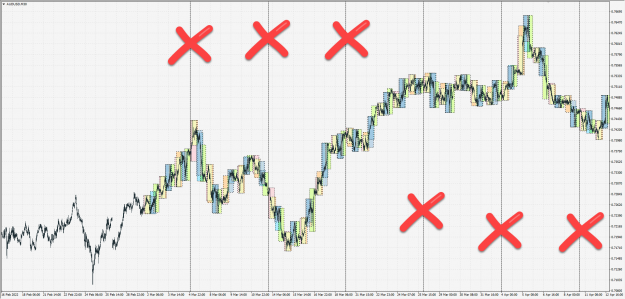
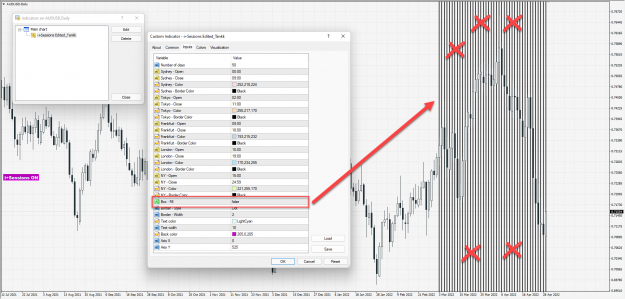
DislikedHello friends. I edited this indicator. I added a few things to this indicator to make it look better. But there are a few warnings in the indicator. That I do not know how to solve them The indicator shows several vertical lines at high times. I do not know how to remove them I also need to add an on / off button I will be grateful. If a friend helps and edits the indicatorIgnored
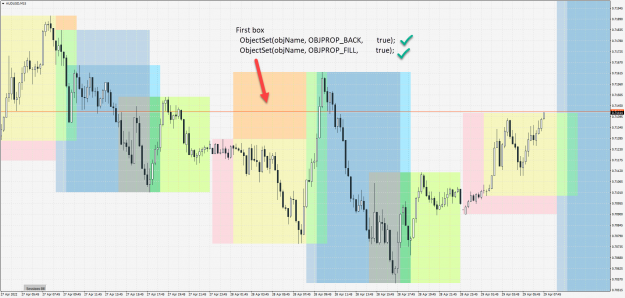
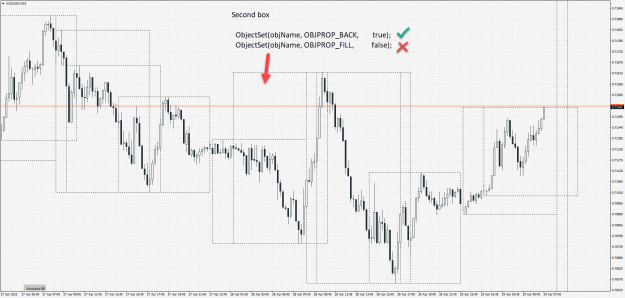
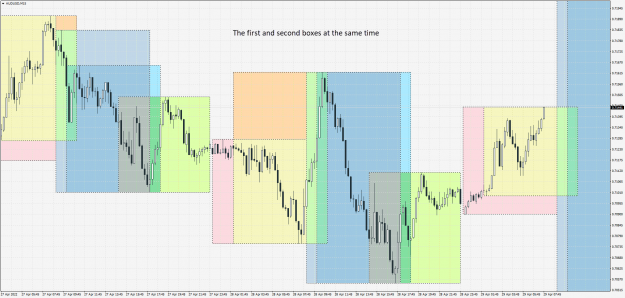
Dislikedit's possible to fix this problem as well. I tried but I could not have 2 types of boxes in the indicator I need two types of boxes First boxIgnored
DislikedI think it is better that the boxes are not displayed in the 4-hour timeframe and above.Ignored
DislikedThere is another problem. Backtest time with simulator. The indicator does not work. I do not know if it is possible. Solve this problemIgnored
Disliked{quote} Well, no issue, maybe someone else might be keen to implement what you want...I just let you know that the setting for the input parameters I give you will produce the same as the upper most bands and lowest most bands in the default settings, since the formula for that is just: Upper top most band = TMA + atrMultiplier7*ATR Lowest most band = TMA - atrMultiplier7*ATRIgnored
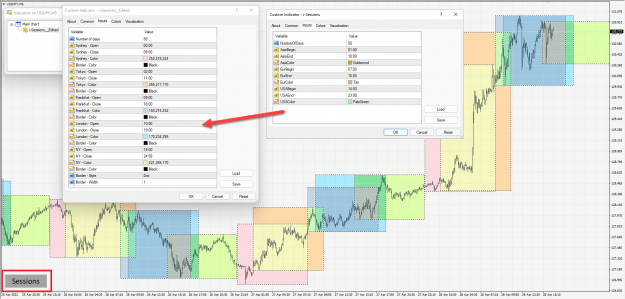
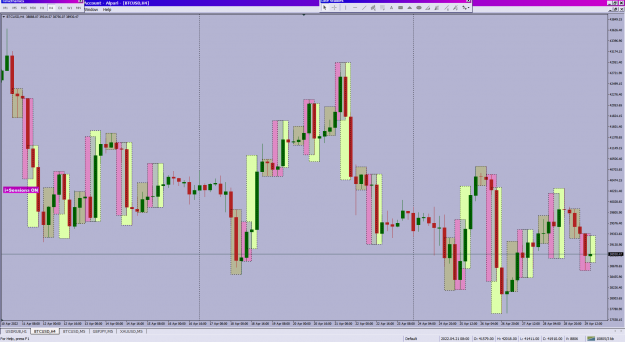
Disliked{quote} i+Sessions Edited++ https://www.forexfactory.com/thread/...1#post13910701 {image} {file}
Ignored
ObjectSet(objName, OBJPROP_BACK, true); ObjectSet(objName, OBJPROP_FILL, true);
ObjectSet(objName, OBJPROP_BACK, true); ObjectSet(objName, OBJPROP_FILL, false);