Dear coders, I would love to be able to adjust the VWAP according to the desired minutes. The attached indicator only has daily, weekly and monthly. Could you help me get the per minute adjustment? Example: I want 1440 minutes to be daily. Wish it's 1 hour, we set 60 minutes. I believe the example given was very clear. Thank you very much to anyone who takes up this demand. {file}
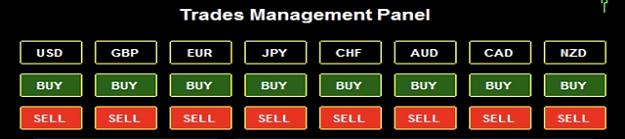
Please can a kind coder help me by creating a simple EA Dashboard.
The EA would show each Basket. USD, AUD, EUR, GBP, CHF, CAD, NZD, JPY
and next to it / under it’ Show 2 simple buttons saying “Buy and Sell” for Instant Market Orders of each of the pairs in each basket
it would look simple like my picture attached or exactly the same.... it would have Risk Management option settings for SL, TP and importantly Breakeven after x amount of pips ....
be okay to use with other EAs...
please help, i would greatly and deeply appreciate it
  double A00=iCustom(TradePair[i], 0, "1",1,0);
            double A10=iCustom(TradePair[i], 0, "2",2,0);
            double A20=Bid(TradePair[i]);  // I am trying to add this command
This the decision to make
Inserted Code
if ((A20 > A00)) ld_Signal=1;
          if ((A20 < A10)) ld_Signal=-1;
When I compile it I get the error "Bid" function not defined. Please, How I correct that?
At the end of every day I run this script for all 25 of my charts individually. Is there anything I can add to this script so that it runs on all my charts at one time?
So you're trying to get the bid value of some pair, google "mql4 get bid", 2nd result I see is about market info, in that link is a list of functions to get all the different info about a symbol.
At the end of every day I run this script for all 25 of my charts individually...
Ignored
It's not intuitive, but you'll need chartprev and chartnext to loop through the charts to get their id's and do the stuff you want on each chart's id. The example on the mql4 docs for chartnext is fine, past your bit after the print line, and put in the current chart id as the id in those 2 lines youre doing.
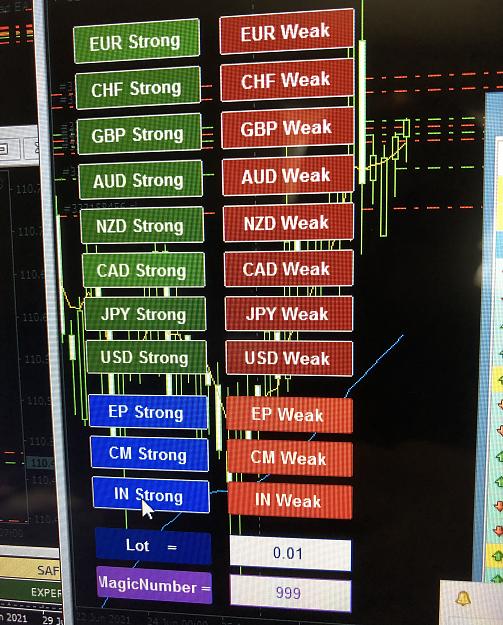
Hi Please can a kind coder help me by creating a simple EA Dashboard. The EA would show each Basket. USD, AUD, EUR, GBP, CHF, CAD, NZD, JPY and next to it / under it’ Show 2 simple buttons saying “Buy and Sell” for Instant Market Orders of each of the pairs in each basket it would look simple like my picture attached or exactly the same.... it would have Risk Management option settings for SL, TP and importantly Breakeven after x amount of pips .... be okay to use with other EAs... please help, i would greatly and deeply appreciate it {image}...
Ignored
The image you attached is from a paid EA.
If you want something free, you have to make do as I did.
In this post, there is the explanation of how this EA works.
Look for the "NORMAL" version (not the Renko version) in the thread.
{quote} You can't use it to do that, this is just a line of boxes, use it however. Boxes_Line - line of boxes - input of box count - styling {image} {file}
Good Day Xplosion Kibo or Mr Tools, Please could an Alert be added, and a Push Alert when an Arrow is formed on this attached Indicator. Your assistance would be much appreciated. Many thanks{file}
Ignored
...............added alert and alert shift!...............but still it's a repainting indicator, so be careful with it!
{quote} The image you attached is from a paid EA. If you want something free, you have to make do as I did. In this post, there is the explanation of how this EA works. Look for the "NORMAL" version (not the Renko version) in the thread. {image}{image} This EA does not set TP and SL and does not handle the breakeven. For the first two functions, I use this other EA which is perfect. https://www.mql5.com/en/market/produ...w.google.it%2F...
Ignored
Thank you so much it works perfectly -
I could only find this version on link (see pic) but I like it because it opens multiple baskets at once not just 1 basket at a time ... I also downloaded the SL and TP Ea you recommended and it’s perfect :-)
my only questions regarding the dashboard is
what do EP, CM and IN mean? I tried them and see they mix up baskets which could be handy
or if you could post the newest version like seen on your link as I wasn’t sure which one it is.. that shows the strengths too
{quote} You can't use it to do that, this is just a line of boxes, use it however. Boxes_Line - line of boxes - input of box count - styling {image} {file}
Ignored
Interesting indi. Thank for sharing Jeanlouie.
When I first saw it I thought of the 3 or 4 equal heigth ADR_boxes model of the BTMM concept. (price would move certain pips from peak formation low/high, following daily ARD, when reach ADRx3 one could expect reset, reversal, extended area bahavior etc... ).
But, when trialed, I see it can draw 4 boxes (I change default to 4), but not with a predetermined height. Which would be only a very small modification by your skillful coding hand
I would suggest to allow that modification, so we could have a very useful tool in estimating possible levels where price could expect at for BTMM followers.
we have adrx3 show in H1 chart, for determine height of each box, we need a height option in your indi, then we draw the boxes from a prior PFL or PFH
{quote} ...............added alert and alert shift!...............but still it's a repainting indicator, so be careful with it! {file}{file}
Ignored
Hi XplosionKibo,
If you can, could you please add a MTF option to the arrows on chart for this indicator. I understand it will repaint but that's fine. Thanks for your time.
{quote} Thank you so much it works perfectly - I could only find this version on link (see pic) but I like it because it opens multiple baskets at once not just 1 basket at a time ... I also downloaded the SL and TP Ea you recommended and it’s perfect :-) my only questions regarding the dashboard is what do EP, CM and IN mean? I tried them and see they mix up baskets which could be handy or if you could post the newest version like seen on your link as I wasn’t sure which one it is.. that shows the strengths too thank you for all your help ...
Ignored
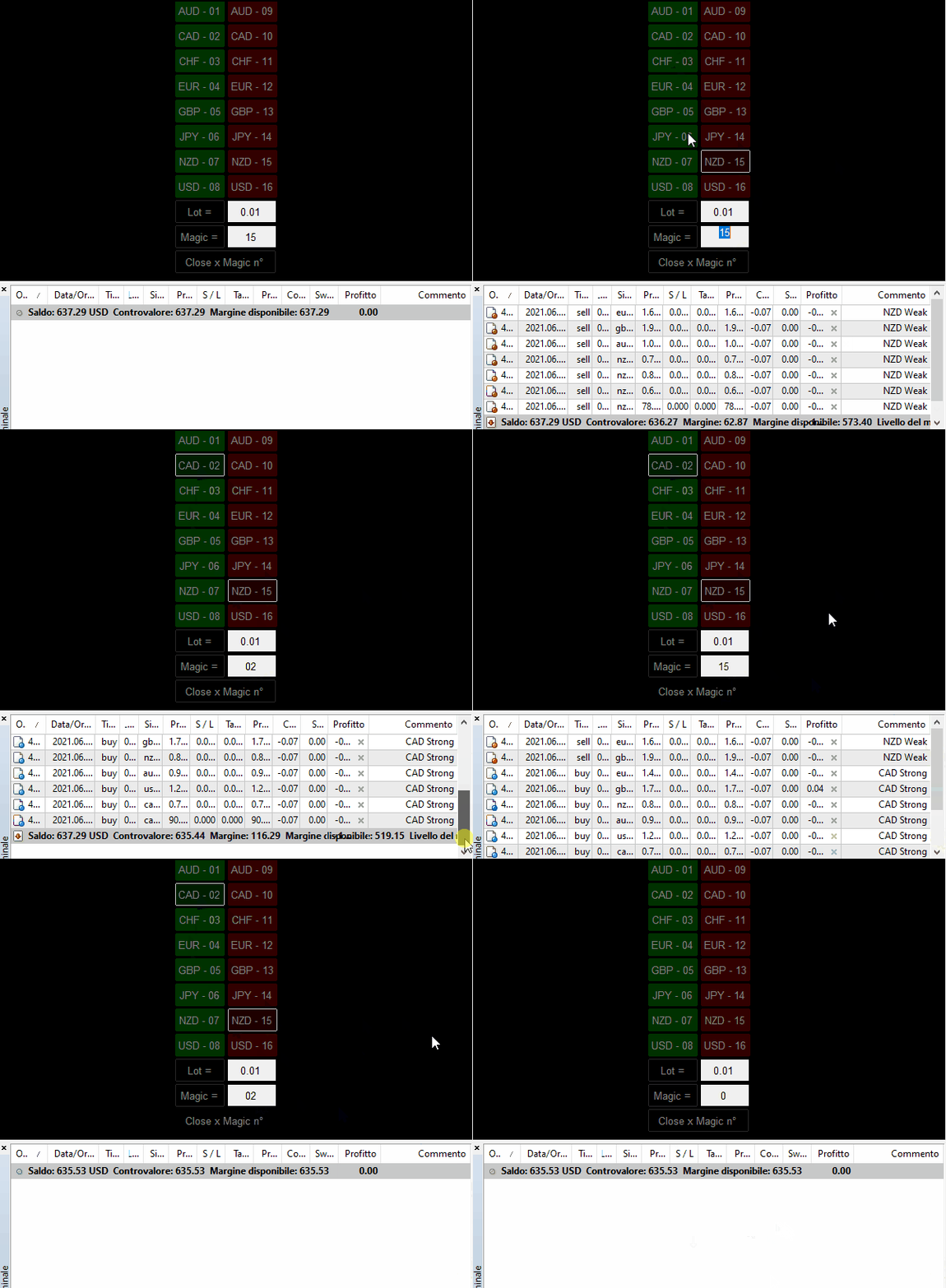
What you downloaded is an old version and the info you are looking for are in a post on the same page. Anyway (for this time):
EP strong / weak = buy / sell the 3 european currencies (EUR / GBP / CHF) vs all the others (AUD / NZD / CAD / JPY / USD)
opens 15 trades CM strong / weak = buy / sell the 3 commodity currencies (AUD / NZD / CAD) vs all the others
opens 15 trades IN strong / weak = buy / sell the 2 independent currencies (USD / JPY) vs all the others
opens 12 trades
The latest modification can be found in the ZIP "File 2° Config. Basket EOS (NORMAL).zip"
together with the Basket Currency Chart Builder and other utilities. https://www.forexfactory.com/thread/...6#post13584766
It only has buttons for the 8 major Currencies, but it is a safe and fair file. They are enough and they advance.
Come on ... this Thread has only 7 pages (I speak of this thread).
I also read 10 pages every day from FF.
Make a little effort and you will find useful information, if you want to work with Currencies.
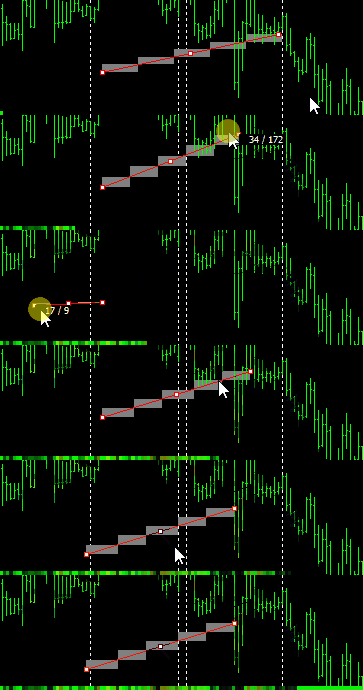
Please, can anyone help me to add all alerts + email alerts to this indicator.
Alert condition : all dashboard arrows turn red - sell alert
Alert condition: all dashboard arrows turn 100% blue - buy alert


 I will code your EAs and Indicators for no charge










 .
.